5G is the latest generation of mobile networks, offering faster speeds, lower latency, and better connectivity than 4G. For iPhone users, 5G opens up new possibilities for streaming, gaming, and cloud-based apps. But which iPhones actually support 5G, and how can you take full advantage of this technology?
In this guide, we will provide a complete list of 5G iPhones, show you how to enable 5G on your device, preview Apple's future 5G lineup, and explain the easiest ways to transfer your data to a new 5G iPhone.
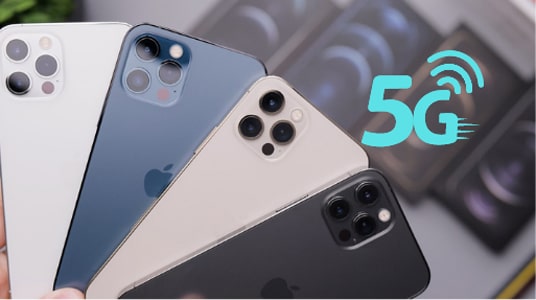
Apple began adding 5G support starting with the iPhone 12 series in 2020, and every iPhone released since then supports 5G connectivity. 5G includes faster download speeds, lower latency, and better performance for streaming and video calls compared to 4G. (Is My Phone 5G?)
The first iPhones with 5G support:
All models support 5G with broader band coverage:
iPhone 14 models continue full 5G support:
All iPhone 15 models also support 5G:
The entire iPhone 16 lineup supports 5G, including:
The newest models also offer 5G (Sub-6 GHz) connectivity:
Having a 5G-capable iPhone is just the first step - you also need to make sure 5G is activated and working properly. This section explains how to enable 5G, check coverage, and optimize your settings.
Before using 5G, confirm that your mobile carrier supports it in your area:
If 5G is not available in your area or on your plan, your iPhone will default to 4G LTE.
Once your carrier supports 5G, follow these steps to enable it:
Choose one of the following options:
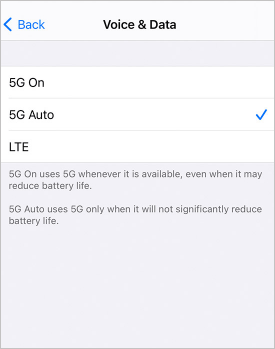
For most users, 5G Auto is recommended to balance speed and battery life. (How to Fix iPhone Battery Drain Issue?)
After enabling 5G, look at the signal indicator in the status bar:
Apple has steadily expanded 5G support across its iPhone lineup since the iPhone 12. Looking ahead, future iPhone models are expected to continue improving 5G performance by supporting more frequency bands, increasing speed, and expanding compatibility with global network technologies. Below is what we can reasonably expect from Apple's future 5G iPhone lineup. (What to Do Before Getting a New iPhone?)
While Apple has not officially confirmed details for the iPhone 18 lineup, rumors and industry patterns suggest that all iPhone 18 models will support advanced 5G connectivity. This likely includes:
These models may offer:
Apple may focus on several key 5G enhancements in upcoming iPhone releases:
1. More 5G Bands for Global Use
As 5G networks expand worldwide, supporting more bands ensures better roaming, stronger connections, and faster speeds in more countries.
2. Better Power Efficiency
Future 5G chips and antennas may become more efficient, allowing faster speeds without draining the battery as quickly.
3. Integration with Next-Gen Networks
Apple may begin preparing iPhones for emerging cellular technologies beyond current 5G standards - such as improvements in Ultra-Wideband 5G or new low-latency protocols.
Yes, it's almost certain that every new iPhone Apple releases will support 5G. Apple has positioned 5G as the standard network technology, and carriers worldwide are investing heavily in expanding 5G infrastructure. Future iPhones are likely to offer even broader support and performance improvements.
As network technology evolves, Apple may extend 5G support to other devices in its ecosystem, such as tablets (iPad), wearables, and augmented reality devices. These developments would further integrate 5G into everyday use and make fast connectivity a baseline expectation in Apple products.
Upgrading to a new 5G iPhone is exciting - but transferring your old data is just as important. Whether you are switching from an older iPhone or moving from Android, you'll want your contacts, photos, messages, and apps safely transferred. Coolmuster Mobile Transfer is the exact tool you need. It enables you to transfer the data you care about to your new 5G iPhone in one go.
Key features of Coolmuster Mobile Transfer:
The following guide will show you how to transfer data from old iPhone to new iPhone. If your old device is an Android, you can click here to see how to transfer from Android to iPhone.
01 Download and open Coolmuster Mobile Transfer on your computer. You will be required to connect your two phones to the computer via USB cables.
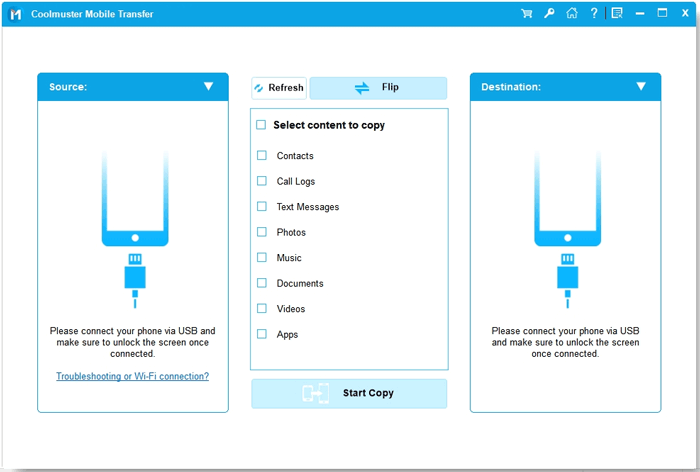
02 Connect your old iPhone and new 5G iPhone to computer using USB cables. Tap "Trust" on both the iPhone screens to let the software detect them. Once detected, please ensure that your new 5G iPhone is the destination phone.
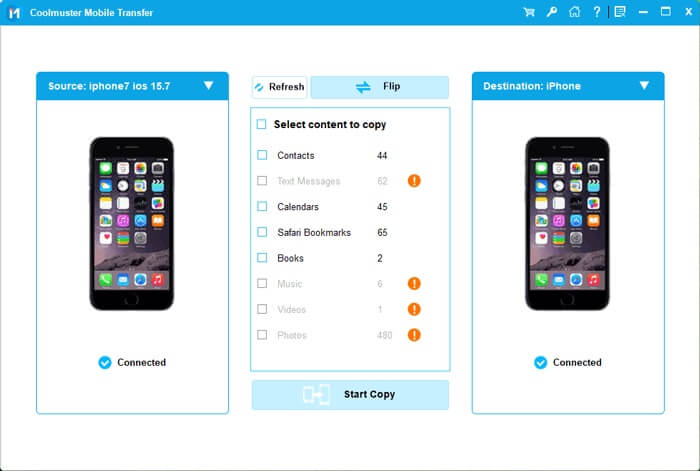
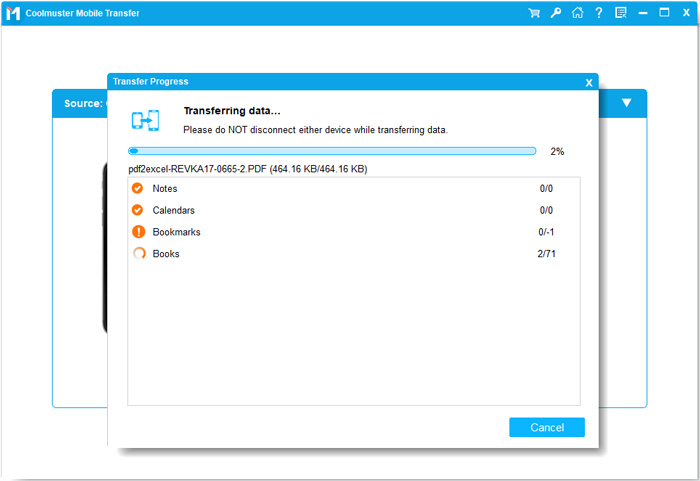
03 After confirming your phones are in the right position, select the items you need to transfer, then click the "Start Copy" button to start the transferring process.
Video Guide:
Q1. Why does my iPhone show LTE instead of 5G?
Your iPhone may display LTE if 5G coverage is weak, your carrier does not support 5G in that area, or your settings are set to "LTE" or "5G Auto" to save battery.
Q2. Does 5G drain the iPhone battery faster?
Yes, 5G can use more power than LTE, especially in areas with weak signals. Choosing "5G Auto" helps balance performance and battery life.
Q3. Is 5G much faster than 4G on iPhone?
In supported areas, 5G offers significantly faster download and upload speeds, lower latency, and smoother streaming or gaming compared to 4G LTE. However, actual speed depends on your carrier and coverage location.
Q4. Can I force 5G everywhere?
Yes, by selecting 5G On, but battery life may be reduced in areas with poor 5G signal.
iPhone 5G has become the standard since the iPhone 12, and every newer model continues to improve speed, coverage, and efficiency. From enabling 5G in settings to understanding coverage limitations, getting the best performance depends on both your device and carrier support. If you're upgrading to a new 5G iPhone, choosing the right data transfer method ensures a smooth transition. If you want a time-saving and simple way to move data after switching your iPhone, Coolmuster Mobile Transfer is here to help.
Related Articles:
What Is the Difference between 4G and 5G? Explained!
Top 5 Ways to Transfer WhatsApp Messages from iPhone to New iPhone
Full Guide to Transfer Contacts from Huawei to iPhone
How to Transfer Contacts from iPhone to iPhone? [Full Solutions]




 Free Download for PC
  Free Download for Mac


