TL;DR: This Reincubate iPhone Backup Extractor Review shows that Reincubate iPhone Backup Extractor is a powerful desktop tool for extracting and recovering data from iTunes and iCloud backups, supporting messages, photos, contacts, WhatsApp data, encrypted backups, and multiple export formats. It offers a clean interface, reliable performance, and strong backup parsing features, but it cannot recover data without an existing backup, and its premium version is relatively expensive.
For users needing more flexibility—especially direct iPhone recovery without backups—Coolmuster iPhone Data Recovery is a stronger alternative with higher versatility and broader recovery options across iOS devices and backups.
If you are looking for a reliable way to access and extract data from iPhone backups, this Reincubate iPhone Backup Extractor review will help you understand whether the tool is worth using. Reincubate iPhone Backup Extractor is designed specifically for retrieving data from iTunes and iCloud backups, making it a focused solution for users who already have backup files available. In this article, we will break down its key features, pricing, pros and cons, and also introduce a powerful alternative.
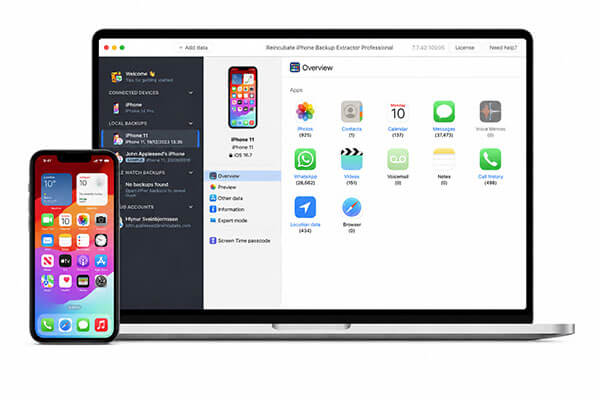
Reincubate iPhone Backup Extractor is professional iPhone backup extractor software developed by Reincubate. Its core function is to extract data from iTunes/Finder backups or iCloud accounts and recover content such as photos, messages, contacts, and chat history as much as possible. The tool is available for both Windows and macOS users and offers a free downloadable trial version.
In this section of the Reincubate iPhone Backup Extractor review, we take a closer look at what the software actually does and who it is best suited for.
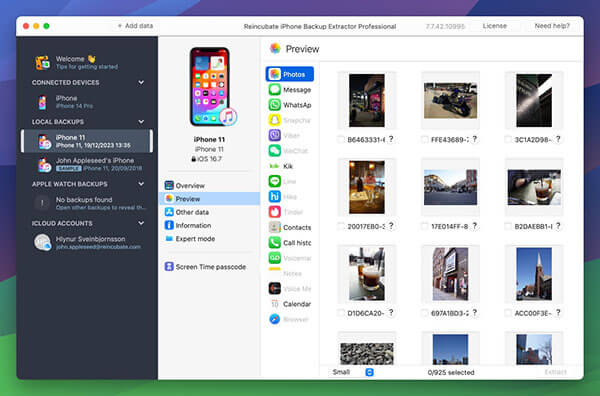
The main features of Reincubate iPhone Backup Extractor include the following:
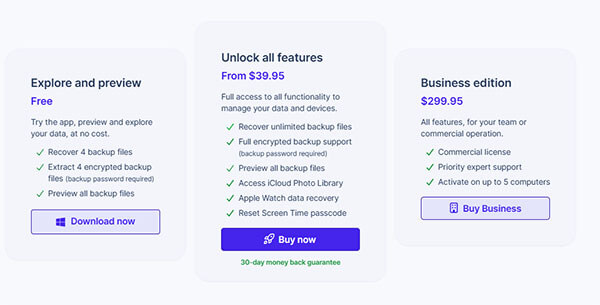
Pricing is an important factor in any Reincubate iPhone Backup Extractor review. Reincubate iPhone Backup Extractor offers a tiered pricing model designed for different user needs.
In practice, every tool has its strengths and limitations, and Reincubate iPhone Backup Extractor is no exception.
Pros:
* Easy to use with a clear interface.
* Support both iCloud and iTunes backups.
* Wide coverage of data types.
* Support encrypted backup parsing.
* Useful preview feature.
* Allow selective data export.
* Reliable and stable performance.
* Offer a 30-day money-back guarantee.
* Provide a trial or free version.
* Compatible with both Mac and Windows systems.
Cons:
* Cannot recover data that was never backed up.
* Premium version is relatively expensive.
* Trial version only supports recovery of 4 backup files.
* Require download and installation as a desktop application.
Although this Reincubate iPhone Backup Extractor review shows that the software is powerful, it still has limitations—especially its inability to directly recover data from an iPhone without a backup. For users who need more flexibility, a better option is Coolmuster iPhone Data Recovery.
This tool offers a high recovery success rate and can easily recover data from iOS devices, iCloud, and iTunes. If you have lost both your data and its backup, this tool can help you restore your data with ease.
Key features of Coolmuster iPhone Data Recovery:
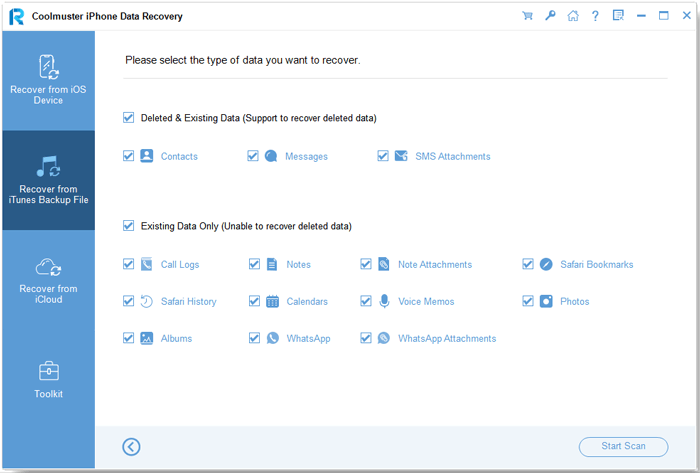
01Launch Coolmuster iPhone Data Recovery on your computer and choose "Recover from iTunes Backup File". A list of iTunes backup records will appear; select the one you need and click "Start Scan" to proceed.
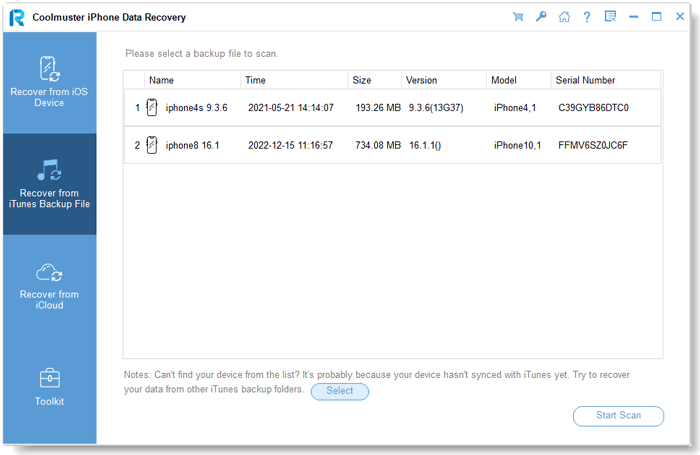
02Next, select the data types you want to recover and click the "Start Scan" button on the right side of the screen.
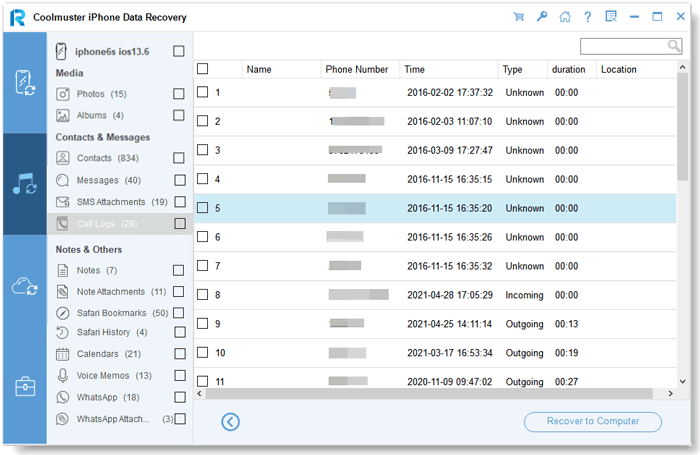
03After the scan is complete, all backup files will be organized into categories. You can preview and choose the items you want, then click "Recover to Computer" to save them to your computer.
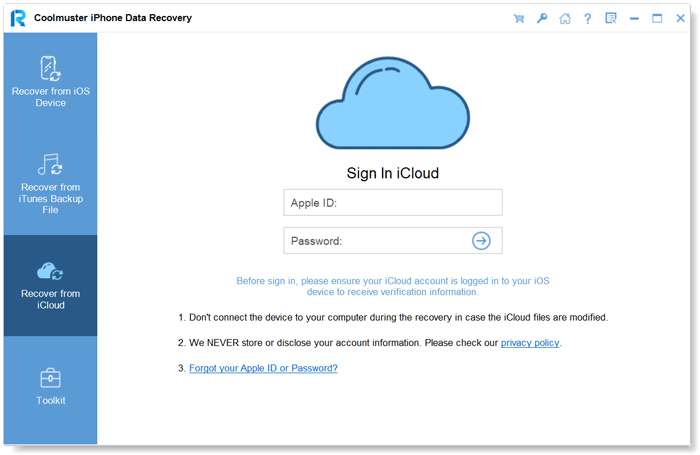
01Launch the software and select the "Recover from iCloud" mode. Then, sign in to your iCloud account when prompted. (Note: If two-factor authentication is enabled, enter the verification code sent to your iOS device and click "Verify" to continue.)
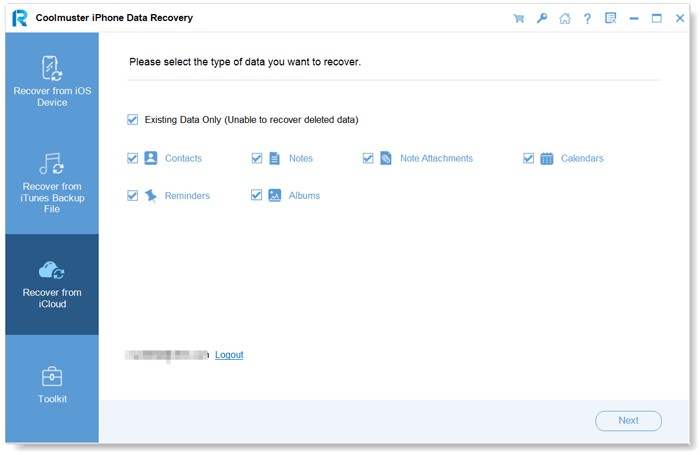
02Next, choose the file types you want to restore and click "Next" to start a quick scan, which lets you preview the contents of your iCloud backup.
03Finally, select the files you want to recover and click "Recover to Computer" to save them locally on your computer.
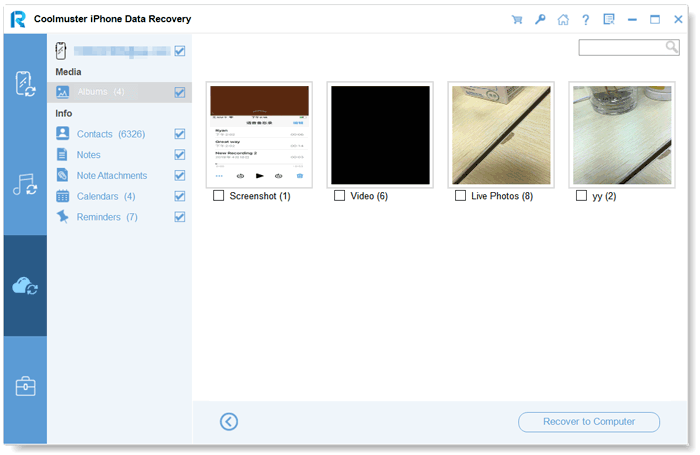
Video Tutorial:
To conclude this Reincubate iPhone Backup Extractor review, the software is a reliable and professional tool for extracting data from iTunes and iCloud backups. It is best suited for users who already have backups and need precise data access.
However, if you want a more flexible solution that supports both device recovery and backup extraction, Coolmuster iPhone Data Recovery is a stronger alternative.
Related Articles:
Top 6 iPhone Backup Viewer Tools to Access iCloud & iTunes Backup
How to Extract Text Messages from iPhone Backup in 3 Easy Ways?
3 Easy Ways to Extract Photos from iPhone Backup [iTunes & iCloud]
How to Extract Contacts from iPhone Backup | 4 Flexible Approaches

 iPhone Recovery
Reincubate iPhone Backup Extractor Review: Features, Price, Pros, Cons & Best Alternative
iPhone Recovery
Reincubate iPhone Backup Extractor Review: Features, Price, Pros, Cons & Best Alternative






 Free Download for PC
  Free Download for Mac
