When upgrading to a new phone, the most challenging part is often transferring your important data, such as contacts, photos, and app information, from your old device. While HONOR Device Clone serves as a handy tool within the HONOR ecosystem, it can fall short when it comes to cross-brand or legacy device migrations.
Fortunately, there are several great alternatives that offer a more versatile approach to data transfer. Here, we explore the best HONOR Device Clone alternatives, each offering unique features and advantages to help you migrate your data effortlessly.
(If you're looking for a comprehensive solution beyond HONOR Device Clone, check out the HONOR Device Clone review to learn more.)

When it comes to phone data migration, Coolmuster Mobile Transfer is one of the most reliable tools available. This software supports the transfer of a wide range of data types, including contacts, messages, photos, music, and even apps, between both Android and iOS devices. Whether you're upgrading from an older model or switching to a completely different brand, Coolmuster offers a seamless experience and is one of the best HONOR Device Clone alternatives for cross-platform users.
Key Features:
Drawbacks:
Supported Platforms: Android, iOS, Windows, macOS
Ideal for: Users who want a professional-grade tool that handles phone data transfer.
Steps to Use:
01Start by downloading and installing Coolmuster Mobile Transfer on your computer. Simply click the button below to download it.
02Next, connect both your source and destination devices to your computer using USB cables.
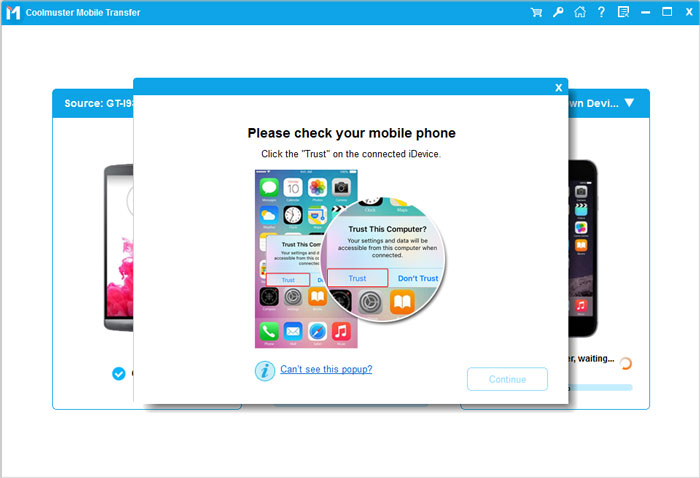
03Once the devices are successfully connected, the main interface will appear (we'll use Android-to-Android as an example here). Make sure the Source and Destination devices are correctly positioned. If they're swapped, just click the "Flip" button to switch them.
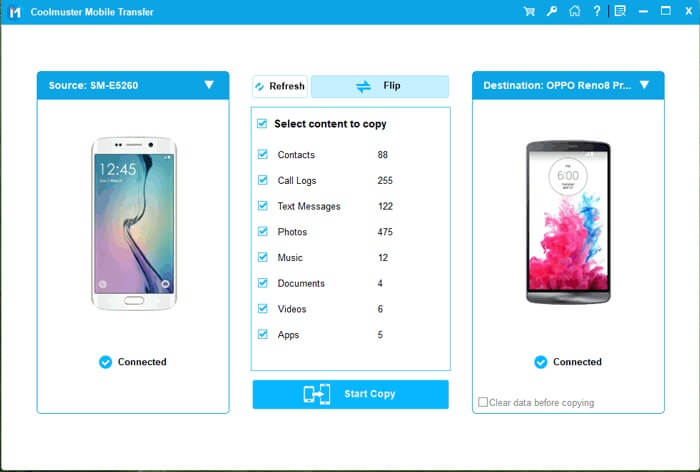
04Once everything is set up, simply select the types of data you wish to transfer (contacts, photos, messages, etc.), then click "Start Copy" to begin the data transfer.
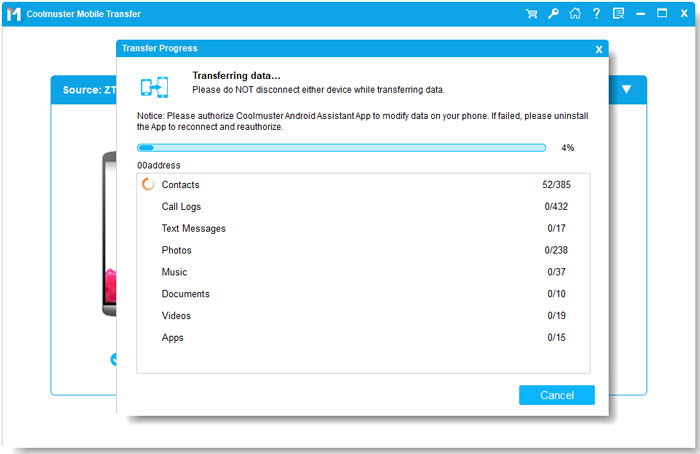
To help guide you through the process, Coolmuster also provides a helpful video tutorial for a step-by-step demonstration of using the software.
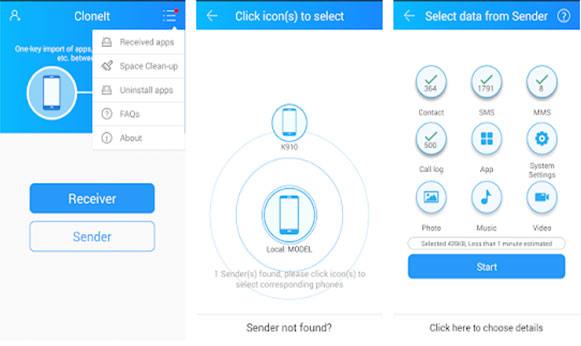
CLONEit is a simple yet effective data migration tool that specializes in transferring data between Android devices. This free app has become a go-to solution for many Android users who need to quickly transfer essential data from one phone to another, including contacts, photos, call logs, messages, and apps. It's a solid HONOR Device Clone alternative for users sticking with Android.
Key Features:
Drawbacks:
Supported Platforms: Android
Ideal for: Android users who need a quick and straightforward way to transfer data between Android phones.
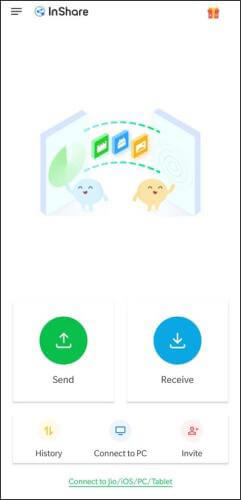
InShare is another popular tool for transferring files wirelessly between devices. With the increasing need for wireless transfers, this app allows users to share photos, videos, apps, and contacts between Android and iOS devices.
Key Features:
Drawbacks:
Supported Platforms: Android, iOS
Ideal for: Users who want a fast, wireless solution for transferring data without relying on cables or data connections.
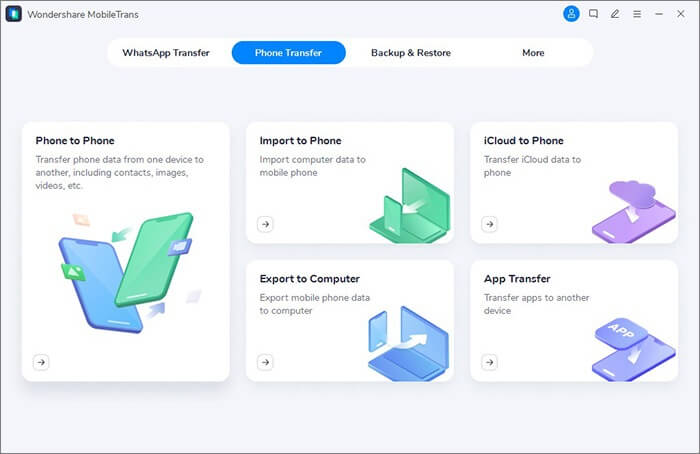
For users who need a comprehensive and reliable phone transfer tool, MobileTrans is a standout option. This software is designed to help users move data, including contacts, messages, photos, and even app data, between Android and iPhone devices, making it perfect for those switching between different platforms.
Key Features:
Drawbacks:
Supported Platforms: Android, iOS, Windows, Mac
Ideal for: Users who are switching between platforms or need a reliable tool for transferring large amounts of data.
AirDroid is a powerful app that not only allows you to transfer data between devices but also gives you the ability to manage your Android phone remotely from your computer. It's a highly versatile tool, perfect for users who want more control over their device data.
Key Features:
Drawbacks:
Supported Platforms: Android, iOS, Windows, macOS
Ideal for: Users who want a multifunctional tool to manage their Android phone remotely and transfer data wirelessly.
Xender is another popular file transfer app that makes it easy to transfer data between Android and iOS devices using Wi-Fi Direct, which offers high-speed file sharing without needing an internet connection.
Key Features:
Drawbacks:
Supported Platforms: Android, iOS, Windows, Mac
Ideal for: Users looking for a fast, free way to transfer files between Android and iOS devices without relying on data or cables.
Each of these HONOR Device Clone alternatives offers a unique set of features to meet different data transfer needs. Whether you're moving between Android and iOS, transferring apps and data, or looking for a wireless solution, there's an option here for you.
But if you want a one-stop solution to all phone-to-phone data migration challenges, whether you're moving data from Android to Android, Android to iOS, or even iOS to iOS, Coolmuster Mobile Transfer is the most reliable and hassle-free choice. It supports a wide range of data types, ensuring your migration process is smooth, secure, and completely lossless.
Related Articles:
How to Transfer Music from HONOR to HONOR: 4 Easy Methods Explained
How to Sync Honor to PC with 5 Workable Solutions [2025]
How to Export HONOR Contacts to Excel [Step-by-Step Guide]
How to Transfer Data from iPhone to HONOR? 3 Easy Ways Inside

 Phone to Phone Transfer
HONOR Device Clone Alternative: Which Tool Reigns Supreme for Seamless Phone Switching?
Phone to Phone Transfer
HONOR Device Clone Alternative: Which Tool Reigns Supreme for Seamless Phone Switching?






 Free Download for PC
  Free Download for Mac
