Switching to a new iPhone often means finding a reliable way to move your WhatsApp chats, photos, videos, and attachments without losing important data. While WhatsApp itself offers some transfer options, they may not always work smoothly, especially when you want a faster and more flexible solution.
This is where TunesKit WhatsApp Transfer comes in. Designed mainly for iOS users, this tool helps transfer, back up, restore, and export WhatsApp data with just a few clicks. But is it really worth using? Is it safe? And does the free version provide enough functionality?
In this TunesKit WhatsApp Transfer review, we will take a closer look at its features, pricing, safety, usability, advantages, disadvantages, and the best alternative you can try.

TunesKit WhatsApp Transfer is a desktop program for Windows and macOS that allows users to manage WhatsApp data on iPhone and iPad devices. It mainly focuses on WhatsApp migration and backup tasks, making it useful for users who are upgrading to a new iPhone or want to keep their chat history safe on a computer.
Besides standard WhatsApp, the software also supports WhatsApp Business. In addition, it can handle chat data from apps like LINE, Kik, and Viber.
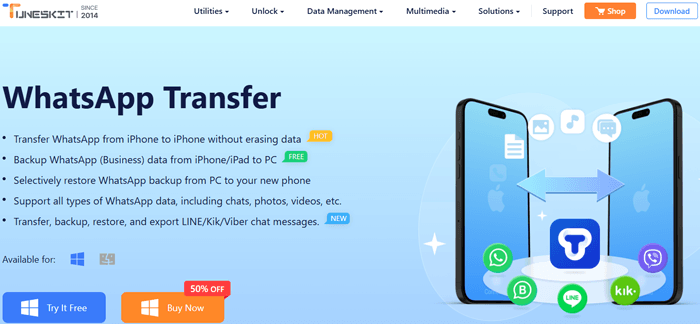
Key features of TunesKit WhatsApp Transfer
TunesKit WhatsApp Transfer provides both a free trial version and a paid version. However, the free version comes with several limitations.
With the trial version, users can:
However, the following features require purchasing the full version:
According to the official pricing information, the paid version supports up to five iOS devices.
Here are the available license plans:
| License Plan | Price |
| 1-Month License | $19.95 |
| 1-Year License | $39.95 |
| Lifetime License | $49.95 |
Generally speaking, TunesKit WhatsApp Transfer is considered safe to use when downloaded from its official website. The software is designed for WhatsApp data management and does not require jailbreaking your iPhone.
During the transfer or backup process, the program connects your iPhone to a computer through a USB cable and processes the data locally. This reduces the risk of sensitive WhatsApp information being uploaded to unknown online servers.
In addition, the software supports encrypted WhatsApp backups and does not include ads or bundled malware in the official installer. However, as with any third-party software, users should still:
While most users can use the tool without issues, occasional transfer failures or device detection problems may still happen depending on the iOS version, USB connection, or WhatsApp version installed on the device.
TunesKit WhatsApp Transfer features an intuitive and clean interface, requiring no professional tech skills. Taking iPhone-to-iPhone WhatsApp transfer as an example, here is the detailed step-by-step guide:
Step 1. Download and install TunesKit WhatsApp Transfer on your Windows PC or Mac. After installation, launch the program and select the "Transfer" option from the left sidebar.
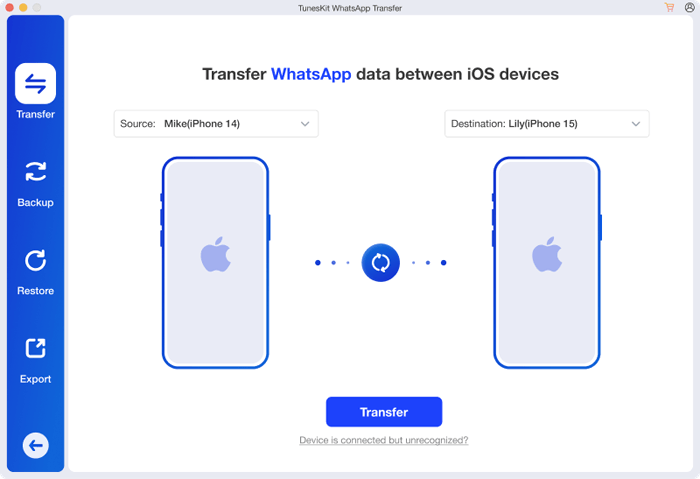
Step 2. Connect both your old iPhone and new iPhone to the computer using USB cables. Once the software successfully detects the devices, click the blue "Transfer" button to begin transferring WhatsApp data.
Note: Before starting the transfer, make sure both iPhones are unlocked, tap "Trust This Computer" if prompted, and ensure that you are logged into your WhatsApp account on the devices.
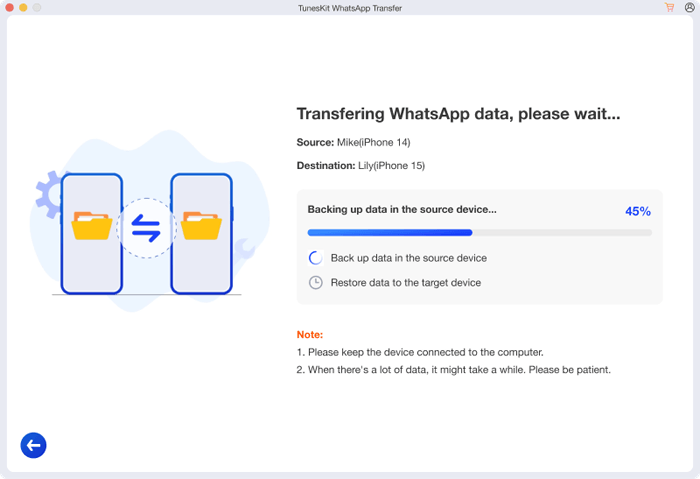
Step 3. TunesKit WhatsApp Transfer will then start moving your WhatsApp data between the two iOS devices. Keep both devices connected and wait patiently until the process is completed.
Like most WhatsApp transfer tools, TunesKit WhatsApp Transfer has both strengths and weaknesses.
If you need a more flexible WhatsApp transfer tool, especially one that supports both Android and iPhone devices, WhatsApp Mover is a great alternative worth considering.
Compared with TunesKit WhatsApp Transfer, WhatsApp Mover offers broader device compatibility and supports cross-platform WhatsApp transfers between Android and iPhone. This makes it more practical for users switching between different operating systems.
The highlights of WhatsApp Mover
If you want to transfer WhatsApp using the TunesKit WhatsApp Transfer alternative, follow the steps below:
01Install and open WhatsApp Mover on your computer. Then, connect both the Android phone and iPhone to the computer via USB cables. On the Android device, enable USB debugging when prompted, and on the iPhone, tap "Trust" to allow the connection.
02After the program recognizes both devices, go to the "Transfer" section. Check whether the old phone is listed as the source device and the new phone is shown as the destination device. If the positions are incorrect, click the "Flip" button to change them.
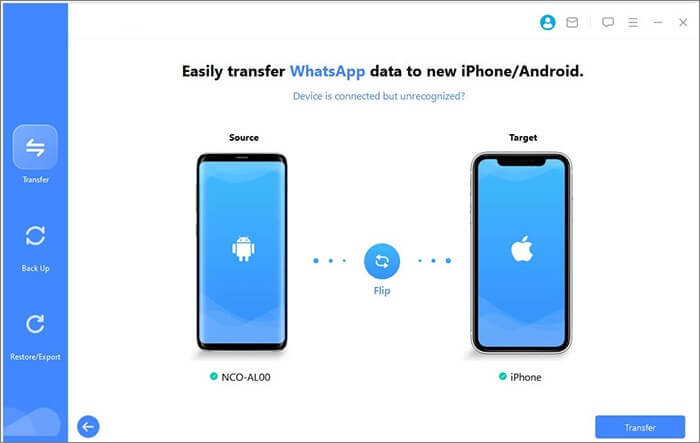
03Click the "Transfer" button to begin transferring your WhatsApp chats and media files. During the process, keep both devices connected until the transfer is fully completed.
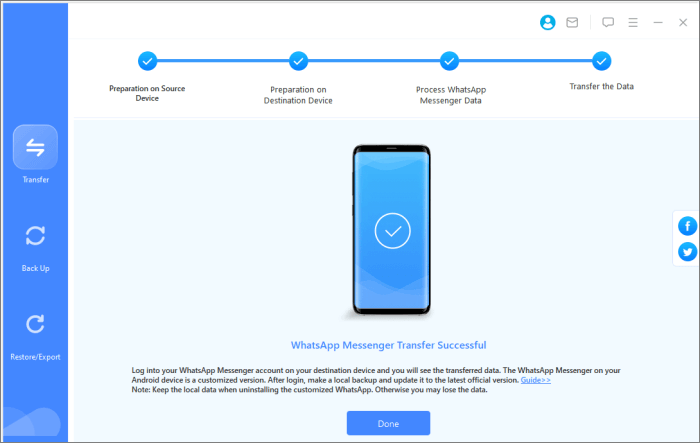
To sum up, TunesKit WhatsApp Transfer is a reliable iOS-focused tool designed for WhatsApp data management, including iPhone-to-iPhone transfer, local backup, and data restoration. It also supports multiple social apps and offers straightforward pricing with solid privacy protection. Its biggest advantage lies in its smooth iOS device migration process and easy-to-use interface, making it a practical choice for everyday users who want to manage WhatsApp data without technical complexity. However, the lack of Android support is a clear limitation.
If you are an iPhone-only user, TunesKit WhatsApp Transfer is still a solid option worth considering. For users who need cross-platform flexibility between Android and iOS, a more versatile solution like WhatsApp Mover is a better alternative, offering broader device compatibility and more complete WhatsApp transfer and backup capabilities.
Related Articles:
How to Transfer WhatsApp to New Phone Easily? (Android & iPhone)
3 Ways to Transfer WhatsApp Backup from Google Drive to iCloud
How to Transfer WhatsApp to New Phone with Same Number [4 Methods]
WhatsApp Transfer Software: A Comprehensive Guide to Top Tools







 Free Download for PC
  Free Download for Mac


