When you forget your iPhone screen passcode, your device becomes disabled, or you encounter an iCloud activation lock, many users turn to third-party unlocking tools for a solution. StarzSoft KeyPass is one of the more commonly mentioned iOS unlocking tools on the market.
But what exactly is StarzSoft KeyPass? Is it safe and reliable? And is it worth buying? In this Starzsoft Keypass review, we will take a comprehensive look at this tool, including its features, pricing, pros and cons, and how to use it in real scenarios. This review aims to help you determine whether it's the right solution for your needs.
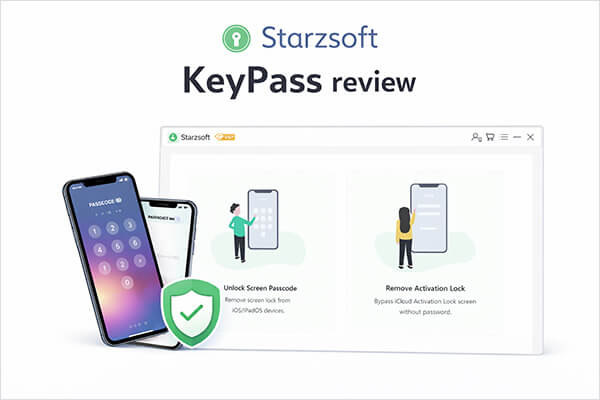
StarzSoft KeyPass, developed by StarzSoft, is a tool specifically designed to unlock iPhones and iPads. Its main functions include removing screen lock passcodes and bypassing the iCloud Activation Lock. If your device encounters any of the following situations, this software may help:
The software claims to help users regain access to their devices through simple steps and supports most iOS devices and versions.
StarzSoft KeyPass offers the following core features:
* Quickly remove the iCloud Activation Lock without requiring the Apple ID or password.
* Easily unlock the screen passcode on disabled, second-hand, or locked iOS devices.
* Advanced technology combined with professional support ensures a high success rate.
* Support Windows and Mac systems.
One of the most common questions users have before downloading the software is: Is Starzsoft KeyPass free?
In fact, Starzsoft KeyPass is not completely free software. It offers a free trial version, but the trial has limited functionality and usually only allows users to detect their device or preview part of the unlocking process. If you actually want to unlock your device, you will still need to purchase a license.
The common pricing plans are roughly as follows:
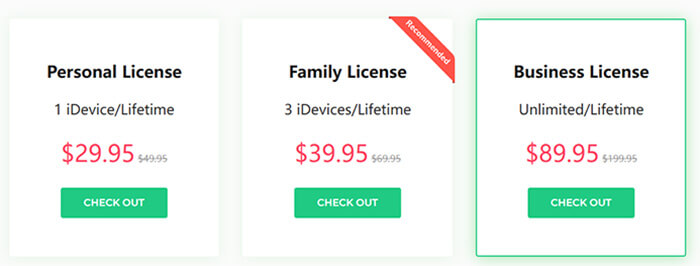
Before deciding whether to use a tool, it is important to understand its advantages and disadvantages. Below are the main pros and cons of Starzsoft KeyPass.
Pros:
* Easy-to-use interface, suitable for beginners.
* Support unlocking various iOS lock types (passcode, Face ID, Touch ID).
* Work with most iPhone and iPad models.
* Simple operation with step-by-step instructions.
* Claim to protect user privacy during the unlocking process.
Cons:
* Not a free tool; full features require a paid license.
* Free trial version has very limited functionality.
* Some unlocking processes may erase device data.
* It cannot unlock an Apple ID or remove Screen Time restrictions.
* Customer support response may be slow according to some user feedback.
If you have decided to use Starzsoft KeyPass to unlock your iPhone, you can follow the steps below. The whole process is relatively simple and usually takes only a few minutes to complete. Before starting, make sure that the latest version of the software is installed on your computer and that you have a USB cable ready.
Here is how to unlock the screen passcode using Starzsoft Keypass:
Step 1. Open StarzSoft KeyPass on your computer and choose the "Unlock Screen Passcode" option. Then click "Start".
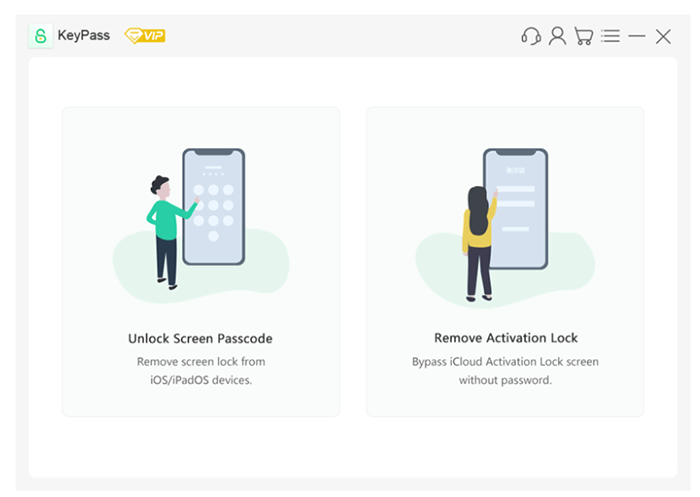
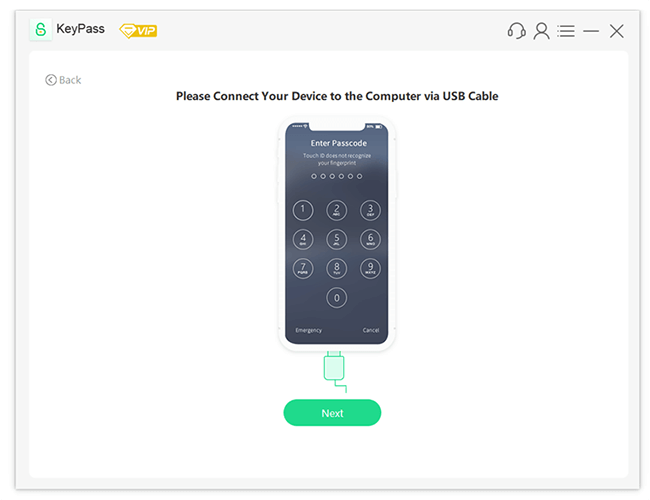
Step 2. Connect your iPhone, iPad, or iPod touch to the computer using a USB cable. Click "Next", and KeyPass will automatically detect your device and load its information.
Step 3. Check the device details displayed on the screen and select the recommended firmware version. Click "Download" to continue. Wait while the firmware package downloads. After the download is finished, the program will automatically verify the firmware package.
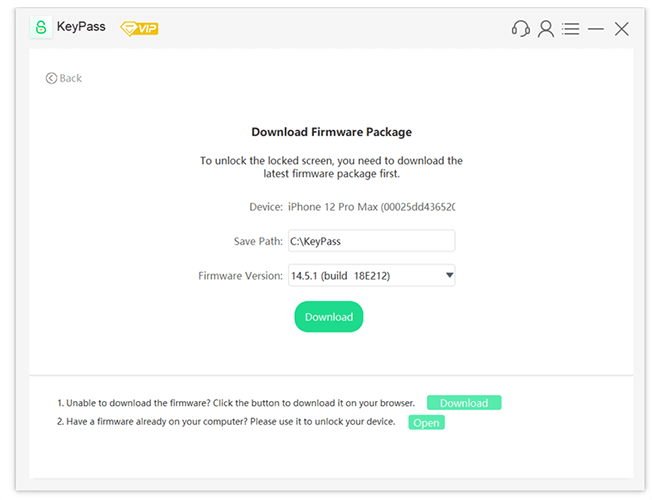
Step 4. Once the firmware is ready, click "Continue". A confirmation window will appear. Read the notice carefully, then type "1111" and click "Confirm".
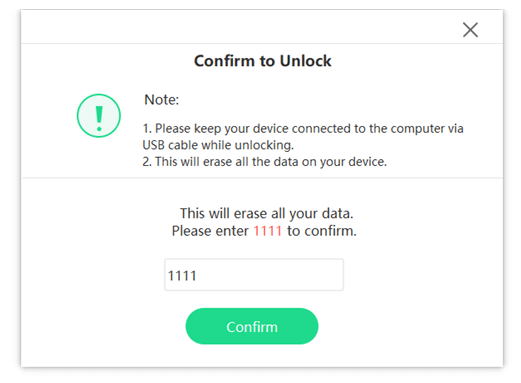
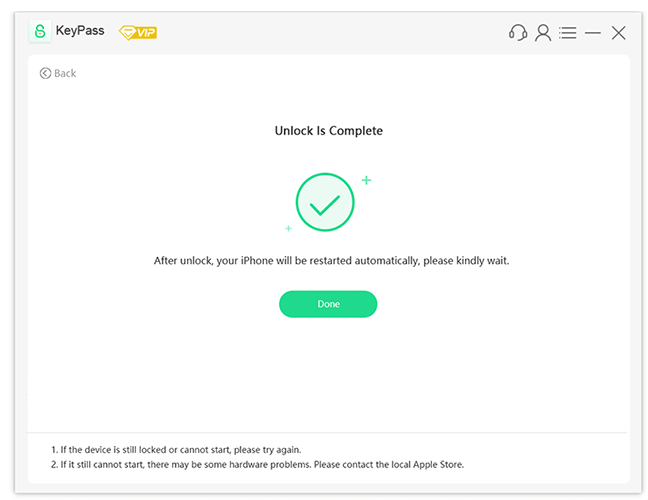
Step 5. KeyPass will begin unlocking your device. Keep your device connected to the computer with the USB cable during the process. Within a few minutes, the passcode, Touch ID, or Face ID will be removed from the disabled device.
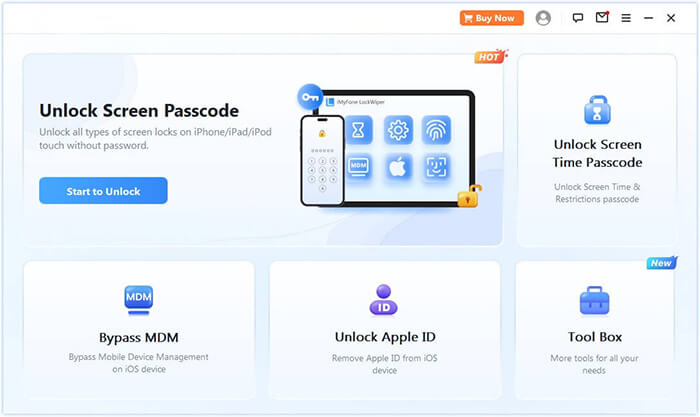
Although Starzsoft KeyPass can remove screen lock passcodes, its features are relatively limited. If you need an iPhone unlocking tool with more comprehensive features and better compatibility, iPhone Unlocker is a great option. Compared with KeyPass, iPhone Unlocker not only unlocks screen passcodes but also supports multiple unlocking scenarios, such as removing Apple ID, unlocking Screen Time passcodes, bypassing MDM restrictions, and unlocking various types of screen locks.
Key features of iPhone Unlocker:
Follow these steps to unlock an iPhone without a passcode using iPhone Unlocker:
01Launch iPhone Unlocker and select "Unlock Screen Passcode". Click "Start to Unlock". Then connect your iPhone to the computer using a USB cable.
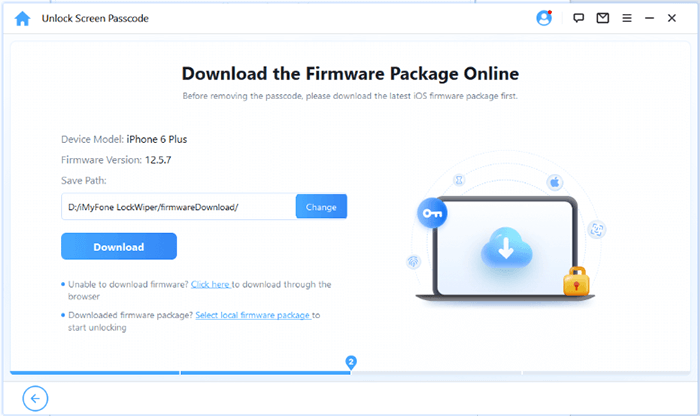
02Enter Recovery Mode or DFU Mode by following the on-screen instructions. Once the program detects your device, choose a location to save the firmware package and click "Download".
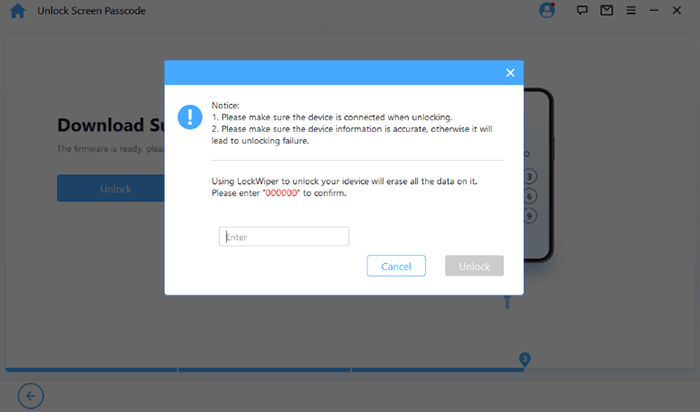
03After the firmware download is complete, click "Unlock." Carefully read the warning message, enter "000000" to confirm, and click "Unlock" again to continue.
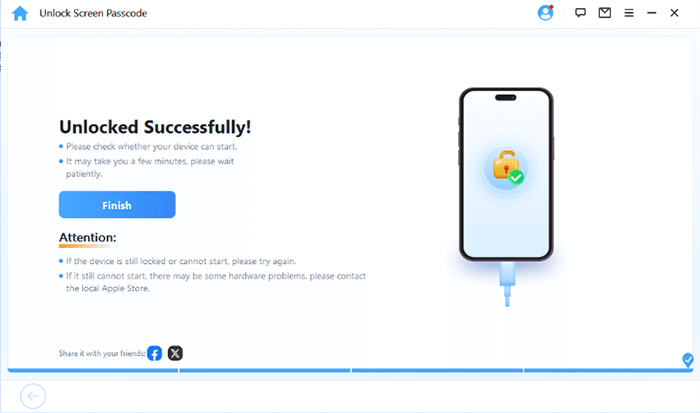
04Wait a few minutes while the program removes the screen passcode. Once finished, you can set up a new passcode, Face ID, or Touch ID for your iPhone.
Q1. Is Starzsoft Keypass safe to use?
Yes, Starzsoft Keypass is a 100% legitimate and safe tool. It does not contain malware or adware, and it ensures user privacy by not storing or sharing any device data during the unlocking process. However, it's important to download the software from the official website to avoid counterfeit versions that may pose security risks.
Q2. Will I lose data when using Starzsoft Keypass to unlock my device?
Yes, the unlocking process with Starzsoft Keypass will erase all data on your iOS device. This is a common limitation of most iOS unlock tools, as it requires resetting the device to bypass the lock screen. Therefore, it's crucial to back up your data (using iTunes or iCloud) before using the tool to avoid permanent data loss.
Q3. Can Starzsoft Keypass unlock Apple ID or screen time restrictions?
No, Starzsoft Keypass cannot unlock Apple ID or remove screen time restrictions. It only supports bypassing screen passcodes (4-digit/6-digit, Face ID, Touch ID) and iCloud activation lock (with jailbreaking). If you need to unlock an Apple ID or remove screen time restrictions, you should consider an alternative like iPhone Unlocker.
Q4. Does Starzsoft KeyPass require an internet connection?
Yes. An internet connection is required because the software needs to download the iOS firmware package in order to complete the unlocking process.
Q5. How long does the unlocking process take?
In general, the entire unlocking process takes about 10–20 minutes, depending on the firmware download speed.
In this Starzsoft KeyPass review, we explored what the software does, its pricing model, advantages, and limitations. Starzsoft KeyPass is a simple tool that can help users remove an iPhone lock screen passcode when they forget it. Its interface is beginner-friendly, and the unlocking process is relatively straightforward.
However, if you need more advanced unlocking features and broader compatibility, iPhone Unlocker may be a better choice. It supports multiple unlocking scenarios such as Apple ID removal, Screen Time passcode unlocking, and MDM bypass, making it a more versatile solution for iOS users.
Related Articles:
8 Top-ranking iPhone Unlock Software to Unlock Your iPhone Without Passcode
Unlock a Network Locked Phone Easily | Full Step-by-Step Guide
ApowerUnlock Review: Is It Safe and Worth It for iPhone Unlocking?




 Free Download for PC
  Free Download for Mac


