The iPhone is convenient for taking photos and delivers excellent image quality, which is why many users store a large number of photos on their devices. However, as the number of photos increases, organizing them becomes troublesome and may even take up a significant amount of storage space (iPhone storage full?). To efficiently manage, categorize, and even encrypt photos, a practical iPhone Photo Manager app is essential. This article will recommend six popular photo management app for iPhone to help you easily organize, back up, and protect the images on your phone.

Coolmuster iOS Assistant is a professional data management and transfer tool built for iOS users and works on both Windows and macOS. It also serves as a powerful iPhone photo manager. You can easily export photos from your iPhone to your computer and organize them right on your desktop, including deleting multiple unwanted pictures at once. In addition, the software lets you back up all your iPhone data to your computer or an external hard drive with a single click, and restore only the files you need whenever you want.
Key features of Coolmuster iOS Assistant:
Here is how to manage iPhone photos on the computer using iOS Assistant:
01Click the download button below to download and launch this tool on your computer.
02Next, connect your iPhone to the computer and trust the device. Once the connection is successful, the main interface of the software will appear.
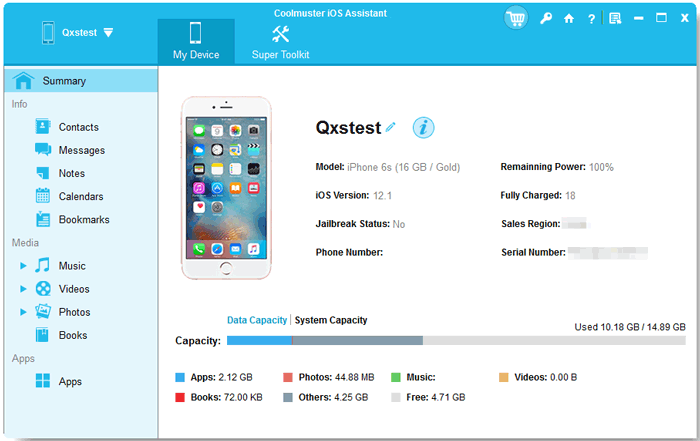
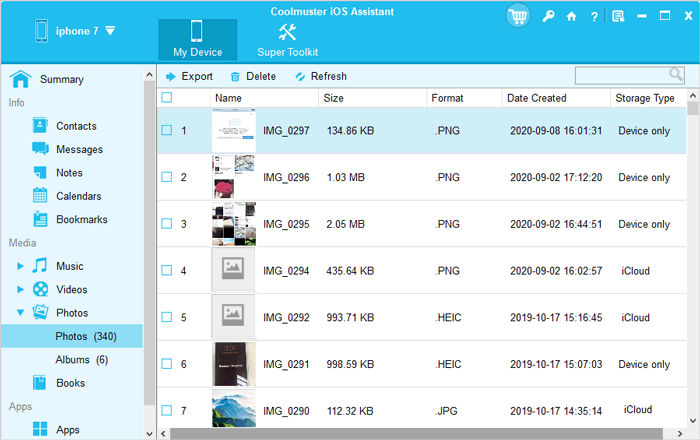
03Click "Photos" on the left panel to view all your iPhone photos. From there, you can organize your iPhone photos on your computer.
Pros:
Cons:
Pricing:
Video Guide:
The second iPhone photo management app I want to introduce to you is Google Photos. It is a cloud photo service launched by Google, with hundreds of millions of users worldwide, thanks to its powerful AI categorization and smart search features. It automatically syncs and uploads iPhone photos to the cloud, saving local storage space. With features like facial recognition and location tags, users can quickly find photos, making it ideal for those who love taking spontaneous photos but don't want to spend time organizing their photo library.
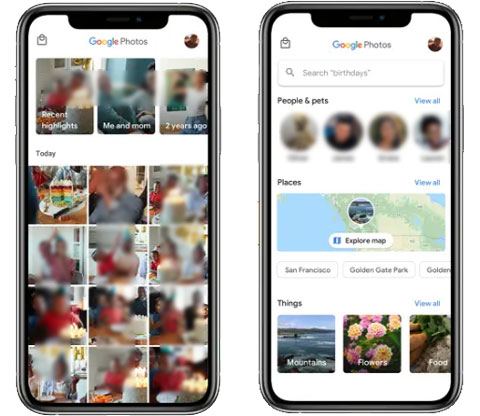
Key features:
Pros:
Cons:
Pricing:
15GB of free storage, with options to purchase more:
The third app to manage photos on iPhone is Slidebox. It is a photo organizing app that focuses on "gesture management", offering an intuitive sliding experience. Users can quickly organize photos by swiping left to delete and right to save. It doesn't duplicate photos but directly syncs with the system's album, making the organization process smooth and natural.
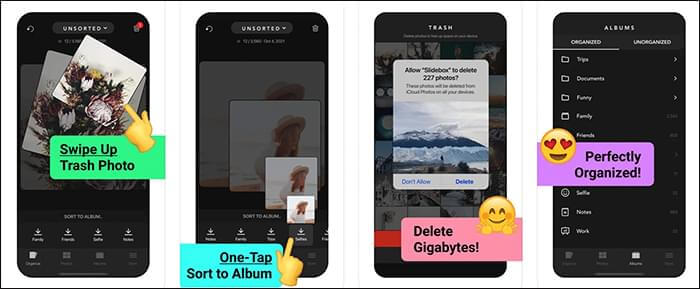
Key features:
Pros:
Cons:
Pricing:
Free to download with in-app subscription options:
Flickr was originally a social platform focused on photography but has gradually evolved into a high-quality photo management and backup tool. Users can upload high-resolution photos to the cloud and manage them in detail using tags, albums, permissions, and more. Its powerful display and sharing features have also attracted many photography enthusiasts and professional users.
Key features:
Pros:
Cons:
Pricing:
Flickr provides a free account with limitations, along with a Pro subscription:
Another iPhone photo manager app is MyPics. MyPics organizes your photos and videos into albums (folders) and lets you easily hide and save data you don't want others to access with just a few simple steps. Your sensitive information is secured with a passcode, ensuring your privacy is well protected.

Key features:
Pros:
Cons:
Pricing:
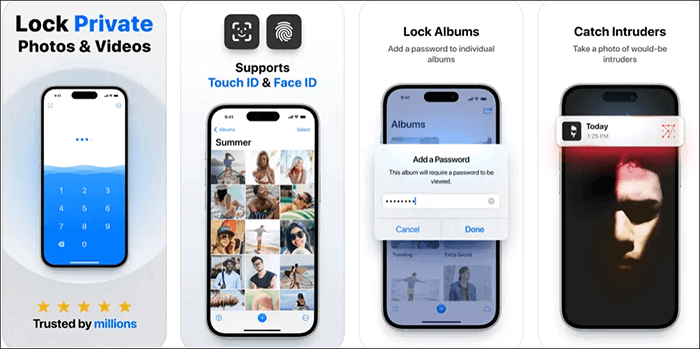
The last photo organizer app for iPhone is Keepsafe. It is a photo vault app focused on privacy protection, perfect for storing private photos and videos. It uses strong encryption and supports password, Face ID, and biometric authentication to access albums. Additionally, it can hide the app icon itself to prevent others from discovering it. The built-in secure browser and cloud backup features provide comprehensive privacy and security protection for users. (How to recover deleted photos on Keepsafe?)
Key features:
Pros:
Cons:
Pricing:
Available for free download with subscription options:
Additional in-app purchases are available at varying prices.
Clever Cleaner: AI Cleanup App is one of the best options on this list. While it doesn't organize photos into albums or folders, it's still one of the top cleaning apps on the App Store. You get full access for free, with no ads, no in-app purchases, and no hidden subscriptions.
The app is straightforward and effective. It automatically groups similar photos, screenshots, Live Photos, and large files. With its clean and easy-to-use interface, you can quickly review, delete, or favorite images. One standout feature is its ability to find similar photos that the default Photos app doesn't show in the Duplicates album.
Another useful tool is Swipe Mode. It shows your photos one by one, letting you swipe left to delete or right to keep. It's faster than manually sorting in the Photos app but still gives you control.
Overall, Clever Cleaner is a great photo-cleaning tool and pairs nicely with more traditional photo organizers.

Key Features:
Pros:
Cons:
Pricing: Completely free with no ads or paid upgrades.
Mylio Photos is a powerful and well-made iPhone photo storage app with strong AI tools. The search function and smart tags make it easy to find any photo fast. These tags also organize your pictures automatically, so you don't have to build albums yourself. Its privacy features, like SafeShare and offline syncing, feel safer than the basic protections other apps offer. Tools like Photo DeClutter and the social media photo downloader are also very helpful.
Overall, Mylio is a secure and feature-rich place to store your photos, though the fully offline syncing may feel less convenient for some users.

Key Features:
Pros
Cons
Pricing
Whether you want to export and back up photos to your computer, automatically organize your photo library by scene, or encrypt and protect your private photos, these iPhone photo management apps can meet your various needs. If you prioritize comprehensive photo data management and secure backup, we highly recommend Coolmuster iOS Assistant, which is stable and professional. It not only efficiently exports photos but also serves as a complete iOS data management tool, helping you save time and effort in organizing all your data.
Related Articles:
[Comprehensive Review] Top 10 iPhone Photo Recovery Apps in 2025
[2025 List] 11 Best Apps to Transfer Photos from iPhone to PC
Top 9 iOS File Managers for iPhone & iPad in 2025 [iOS 18/26 Supported]
Top 10 Best iPhone Manager Software - Manage Your iPhone Data on PC or Mac







 Free Download for PC
  Free Download for Mac


