Text messaging remains one of the most commonly used features on iPhone, but traditional SMS is no longer the only option. Today, users prefer messaging apps that offer free texting, voice calls, video chats, group conversations, and media sharing through an internet connection. Whether you want better privacy, cross-platform communication, or more features than Apple's built-in Messages app, there are plenty of excellent choices available.
In this guide, we've selected the best text messaging apps for iPhone based on popularity, features, ease of use, and overall user experience. Plus, we'll also show you how to export iPhone SMS messages to a computer for backup.
Compatibility: Built into iPhone, iPad, Mac, and other Apple devices. Requires an Apple ID and a recent version of iOS.
Apple Messages (iMessage) is Apple's built-in text messaging app for iPhone users. It allows you to send unlimited messages over Wi-Fi or mobile data to other Apple devices without SMS charges. Besides standard text conversations, iMessage supports group chats, photo and video sharing, voice messages, message effects, stickers, location sharing, and high-quality media transfer. It also offers end-to-end encryption for iMessage conversations and seamless synchronization across iPhone, iPad, and Mac through the same Apple ID. If the recipient is not using an Apple device, Messages can automatically switch to SMS or MMS depending on carrier support.

Compatibility: Available on iPhone and other mobile devices. Requires a recent version of iOS.
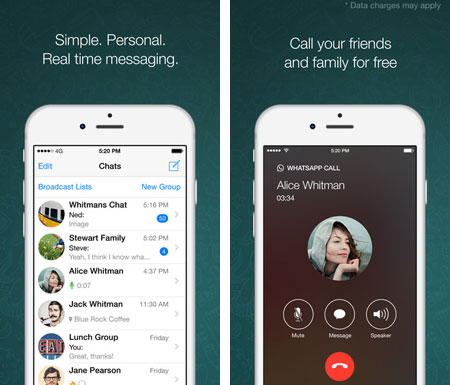
WhatsApp Messenger is one of the most widely used text messaging apps for iPhone users worldwide. It allows you to send free text messages over Wi-Fi or mobile data without relying on traditional SMS. Besides one-to-one chats, WhatsApp supports group messaging, voice and video calls, photo and file sharing, and multi-device access through WhatsApp Web and desktop apps. Messages and calls are protected with end-to-end encryption, making it a convenient option for staying connected with friends and family across different countries.
Compatibility: Available on iPhone and iPad. Requires a recent version of iOS.
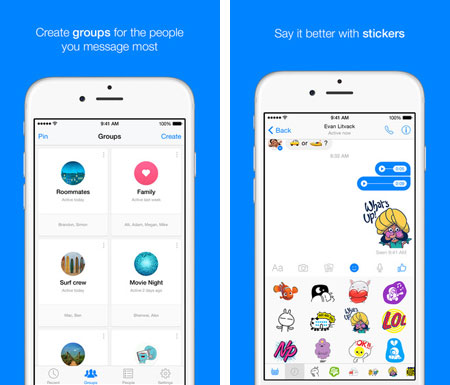
Facebook Messenger is a popular messaging app that allows users to send free text messages over Wi-Fi or mobile data. In addition to one-to-one chats, it supports group conversations, voice and video calls, photo and video sharing, and cross-platform communication. Users can also share live locations, customize notifications, and sync conversations across devices. Since Messenger is connected to Facebook accounts, it is a convenient option for staying in touch with friends, family, and contacts around the world.
Compatibility: Available on iPhone, iPad, and other mobile and desktop platforms. Requires a recent version of iOS.
Telegram Messenger is a cloud-based messaging app designed for fast and secure communication. It allows users to send free text messages, create large group chats, and share photos, videos, documents, and other files across devices. Telegram also supports voice and video calls, channels for broadcasting content, and multi-device synchronization without needing your phone to stay connected. For users who want additional privacy, Telegram offers Secret Chats with end-to-end encryption and self-destructing messages. Its customizable interface and extensive sticker support also make chatting more engaging and flexible.

Compatibility: Available on iPhone, iPad, and other mobile and desktop platforms. Requires a recent version of iOS.
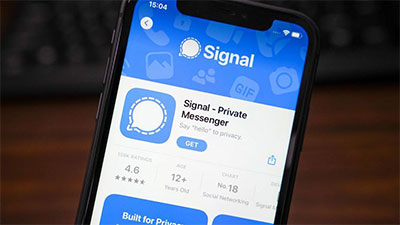
Signal is a privacy-focused messaging app designed for secure communication. It allows users to send free text messages, make encrypted voice and video calls, and share photos, videos, documents, and voice notes over Wi-Fi or mobile data. All personal chats and calls are protected with end-to-end encryption by default. Signal also supports group conversations, disappearing messages, message reactions, and multi-device access. With its clean interface and strong focus on privacy, Signal is a popular choice for users who want a secure alternative to traditional texting apps.
Compatibility: Available on iPhone and iPad. Requires a recent version of iOS.
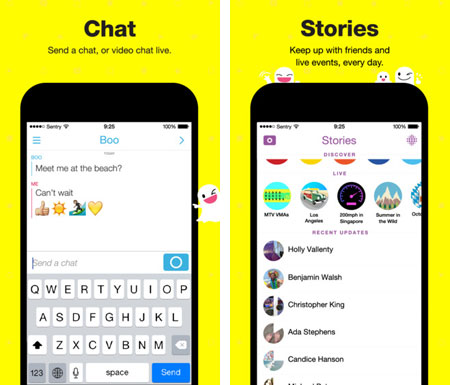
Snapchat is a popular messaging app that focuses on fast, visual communication through photos, videos, and instant chats. Users can send disappearing messages, create Stories, make voice and video calls, and apply interactive AR filters and effects. Unlike traditional texting apps, Snapchat emphasizes casual and real-time sharing with friends. Although messages and Snaps may disappear after viewing, recipients can still save content by taking screenshots or using built-in chat-saving features.
Compatibility: Available on iPhone, iPad, and other mobile and desktop platforms. Requires a recent version of iOS.
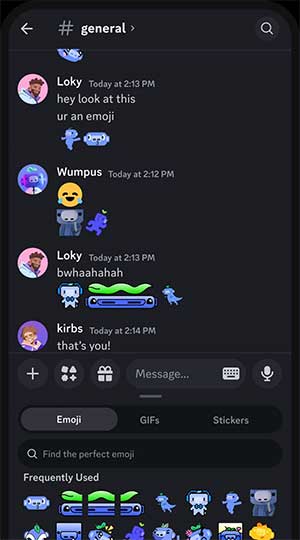
Discord is a communication and messaging app that combines text chatting, voice calls, video calls, and community interaction in one platform. Users can create or join servers to communicate with friends, gaming groups, study communities, or professional teams. In addition to direct messaging, Discord supports group chats, file sharing, voice channels, screen sharing, and cross-device synchronization. Unlike traditional texting apps, Discord focuses more on organized communities and real-time conversations, making it a great option for users who communicate with multiple groups regularly.
Compatibility: Available on iPhone, iPad, and other mobile and desktop platforms. Requires a recent version of iOS.
Viber Messenger is a free messaging and calling app that allows users to stay connected through text messages, voice calls, and video calls over Wi-Fi or mobile data. It supports one-to-one conversations, group chats, photo and file sharing, and cross-platform communication across multiple devices. Viber also provides end-to-end encryption for private conversations and allows users to sync chats between mobile and desktop devices. With support for international communication and a variety of stickers and interactive features, Viber is a convenient alternative to traditional SMS messaging.
If you want to keep important conversations, print messages, switch devices, or simply free up storage space, exporting and backing up iPhone messages to a computer is a practical solution. Compared with iTunes or iCloud, Coolmuster iOS Assistant offers a more flexible way to manage and save iPhone SMS and other data. It allows you to preview, selectively export, and create backups without overwriting existing files.
Key Features of Coolmuster iOS Assistant:
How to Export & Back Up iPhone Messages with Coolmuster iOS Assistant
01Download and install Coolmuster iOS Assistant on your computer. Launch the software and connect your iPhone to the computer using a USB cable. Unlock your iPhone and tap Trust if prompted.
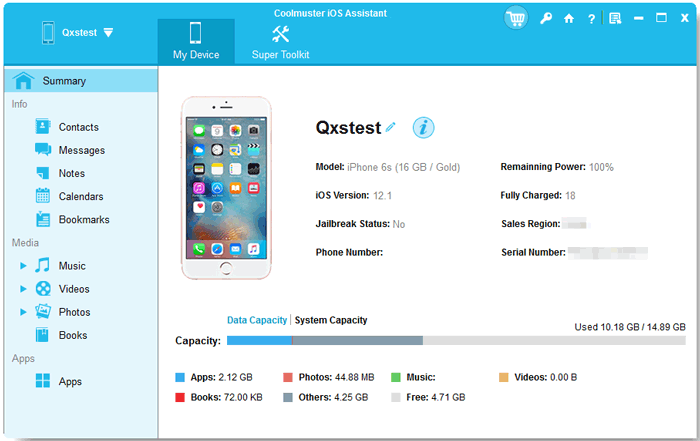
02Click "Messages" from the left sidebar. The program will scan and display all SMS and iMessages stored on your iPhone. Preview the conversations and check the messages you want to export.
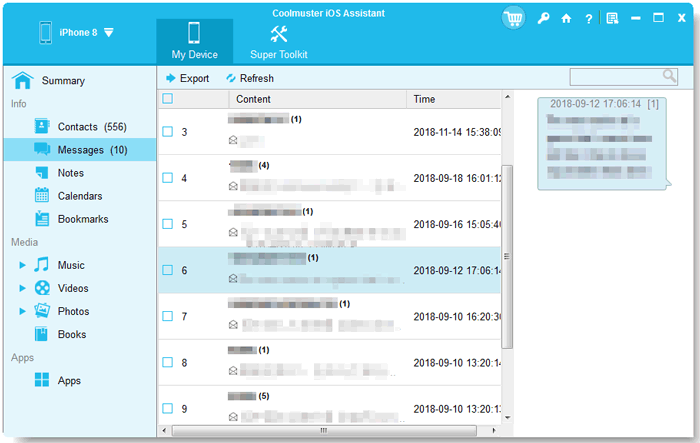
03After selecting the desired messages, click the "Export" button on the top menu. Choose an output format and destination folder on your computer, then confirm to save and back up your iPhone messages locally.
Video Guide:
The best text messaging app for iPhone depends on your needs, whether you value privacy, cross-platform chatting, group communication, or seamless Apple integration. Apps like iMessage, WhatsApp, Telegram, and Signal each offer different advantages. To keep important conversations safe, you can also export and back up your iPhone messages to a computer for easier storage and management.
Related Articles:
How to Print Text Messages from iPhone [5 Easy Ways]
SMS Backup and Restore for iPhone: Top 3 Ways & 3 Apps






 Free Download for PC
  Free Download for Mac


