When your iPhone gets stuck on the Apple logo, shows a black screen, fails to update, or keeps restarting, it often indicates a system issue. Many users look for a simple, safe, and efficient repair tool to fix these problems. Among the many options available, Mobitrix Perfix is an iOS system repair software that has been gaining attention in recent years. So, what exactly is Mobitrix Perfix? Is it really easy to use? Is it worth paying for? This article will provide a detailed Mobitrix Perfix review covering its features, pricing, pros and cons, and user experience, and also offer a more worthwhile alternative to consider.

Mobitrix Perfix is a professional iOS system repair tool designed to fix over 160 common and complex system issues on iPhone, iPad, and Apple TV, without requiring technical expertise or expensive professional repair services. Unlike iTunes, which often involves data loss or complex procedures when fixing issues, Mobitrix Perfix places greater emphasis on data safety and offers repair modes that preserve photos, messages, contacts, and other important data.
To evaluate this Mobitrix Perfix review properly, we need to look at what problems it can actually solve. Mobitrix Perfix is built to handle various iOS system errors, from minor glitches to more serious issues. It provides an all-in-one solution for users dealing with unstable or unresponsive devices.
Key features include:
* Fix over 160 iOS system issues, covering common and complex problems.
* Resolve issues like iPhone stuck on Apple logo, black screen, endless restart loops, and unresponsive touchscreens.
* Fix niche issues like Face ID not working, iPhone not charging, flashlight not turning on, and being stuck in airplane mode, do not disturb mode, or headphone mode.
* One-click recovery mode entry/exit, no complicated button combinations needed.
* Work without iTunes, avoiding device recognition issues and data loss.
* Support all iOS versions, including iOS 18, and all Apple devices (iPhone 16, older iPads, and Apple TVs).
* Quick fixes, often completed in just a few minutes.
* Offer a standard repair mode that preserves all data, ensuring user data safety.
When choosing a tool, price is also one of the factors that users care about the most. Mobitrix Perfix offers a free trial version that allows users to access limited features without paying. The free trial includes the ability to fix iTunes-related issues, as well as one-click entry and exit of Recovery Mode and Normal Mode, which can help resolve some basic iOS system problems.
However, to unlock all of Mobitrix Perfix's advanced features—such as fixing complex issues like disabled devices, endless boot loops, or black screens, as well as using the advanced repair mode—you will need to purchase a paid license. The following are its pricing plans.
For Individuals on Windows:

For Business on Windows: $129
For Individuals on Mac:

For Business on Mac: $159
No Mobitrix Perfix review would be complete without an honest look at its strengths and weaknesses.
Pros:
* Simple interface, easy to use, suitable for beginners.
* High success rate of 95% (for non-hardware issues), can fix 160+ iOS system problems.
* Standard repair mode ensures no data loss.
* Work without iTunes, avoiding iTunes errors and compatibility issues.
* Provide 24/7 customer support and a 30-day money-back guarantee.
Cons:
* Free trial is limited, core features require payment.
* Advanced repair mode erases data, backup required before use.
* Repair file download speed can be slow, depending on the internet connection.
* Can only fix software issues, cannot handle hardware problems.
* Update speed may sometimes lag behind the latest iOS versions.
Understanding how the tool works in practice is essential in this Mobitrix Perfix review, especially for users who want a hassle-free repair experience. Mobitrix Perfix is designed to be simple to use, with a step-by-step process that works for both standard and advanced repair modes.
Below is a detailed, step-by-step guide to using Mobitrix Perfix to fix your iOS system issues:
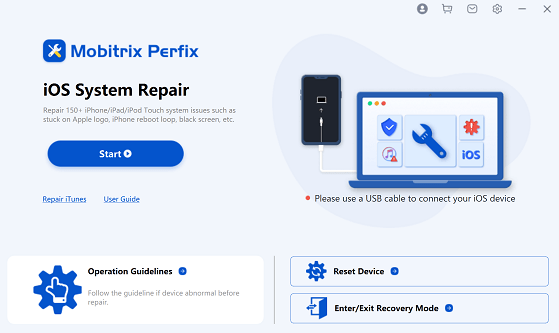
Step 1. Download and install Mobitrix Perfix on your PC or Mac, then open the program. Connect your iPhone or iPad to the computer using a USB cable. In the main menu, click on "Start".
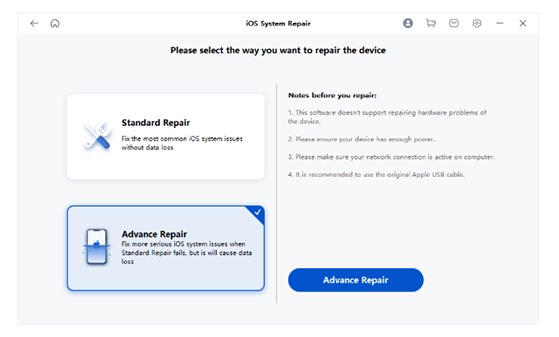
Step 2. Choose the type of issue(s) you wish to fix. If you don't see the relevant issue type in the list, simply click "Next". Then, select "Standard Repair" and click "Start Repair".
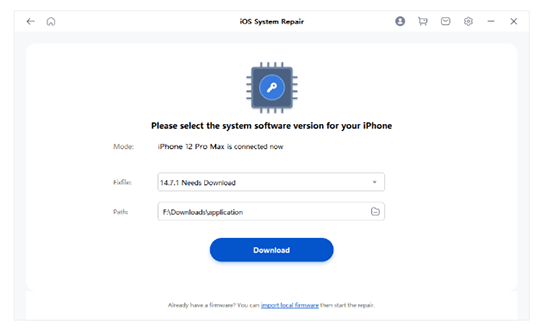
Step 3. Mobitrix Perfix will automatically search for the appropriate Fixfile for your device. Choose any version of the Fixfile and click "Download" to continue.
Step 4. Once the download is complete, it will be automatically extracted. After extraction, Perfix will begin repairing your device.
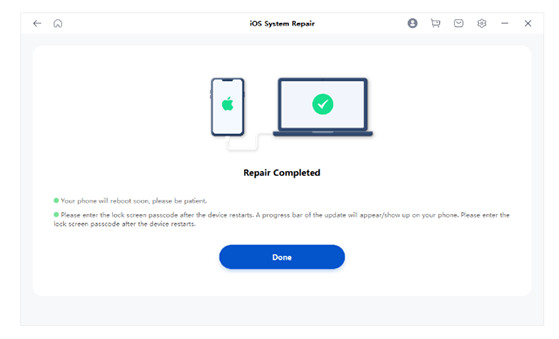
Step 5. Once the repair is finished, your device will restart. At this point, you'll need to reset your device.
If you're not fully convinced by this Mobitrix Perfix review, you might want to consider a more reliable alternative. iOS System Recovery is widely regarded as a more advanced and stable iOS repair tool. It offers better performance, higher success rates, and broader compatibility.
Key features of iOS System Recovery:
* Fix your iOS system in various scenarios, such as iPhone stuck on the Apple logo, stuck in headphone mode, water damage, or issues with black, red, blue, or white screens.
* Offer two system recovery modes: Standard Mode and Advanced Mode.
* Use Standard Mode to repair your device without losing any data, or choose Advanced Mode to resolve issues by erasing all data.
* Support free iOS downgrades or upgrades to a compatible version.
* Compatible with all iOS devices, including the latest iPhone 17 series and iOS 18/26.
To repair your iOS device without data loss, follow these steps:
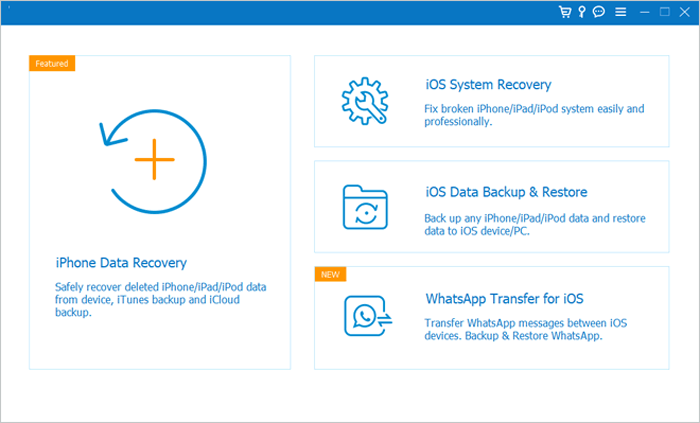
01Install and launch the iOS System Recovery software on your Windows or Mac computer. Connect your iPhone to the computer using a USB cable, then select "iOS System Recovery".
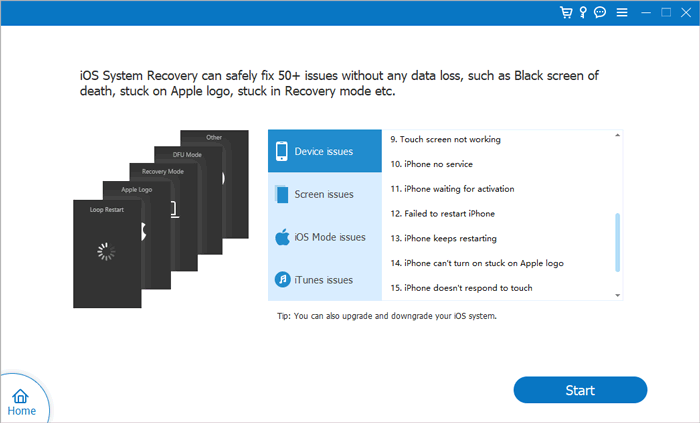
02Click "Start" to allow the software to detect any issues on your iPhone. Next, choose the repair mode you want and click "Confirm".
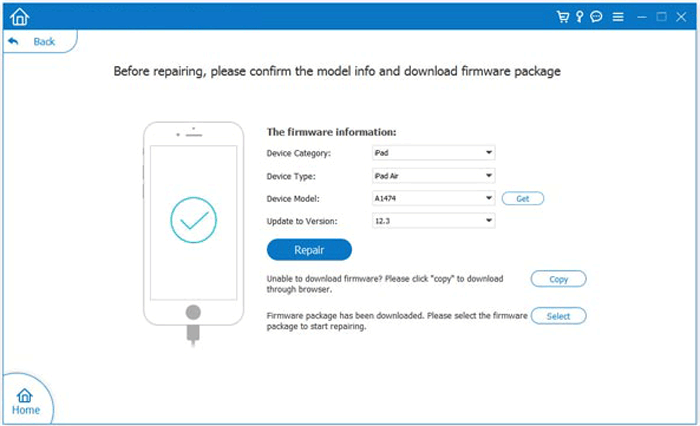
03Select your iPhone model from the list and click "Repair". The software will automatically download the necessary firmware to fix your device. Once the download is complete, your iPhone will be restored to normal.
Q1. What is the estimated success rate for fixing my iPhone's issues?
Perfix is a specialized repair tool designed to address all Apple device issues, whether caused by the system or software. If the problem is not hardware-related, our previous statistics show a success rate of approximately 95%.
Q2. Will I lose all my data after the repair process?
Perfix offers two repair options: Standard and Advanced Repair. With Standard Repair, your data will remain intact. However, Advanced Repair will reset your iPhone to its factory settings, resulting in data loss.
Q3. What is the difference between using Perfix and iTunes to fix iOS errors?
iTunes Restore restores your iPhone/iPad/iPod to factory settings and can be used to fix iOS issues. However, it has a high failure rate, risks data loss, and often generates unpredictable error codes.
Perfix addresses these limitations by improving the iOS system/software repair process. It offers two repair modes to cater to different user needs, making it the simplest and most reliable solution on the market. Additionally, Perfix includes unique features that iTunes lacks, offering better data protection and device safety.
Q4. What is the difference between the free and paid versions?
With the trial version, you can freely use features like "Repair iTunes" and "One-click Recovery/Normal Mode". However, access to the remaining features is only available with the paid version.
Q5. Can Mobitrix Perfix fix hardware issues on my iOS device?
No. Mobitrix Perfix is designed exclusively for software and system issues. It cannot fix hardware problems such as a broken screen, faulty battery, damaged charging port, or water damage. If your device has hardware issues, you will need to take it to an Apple store or a professional repair service.
This Mobitrix Perfix review shows that the tool is a solid option for fixing common iOS system issues, especially for beginners. However, its limited free features, relatively high price, and inconsistent success rate for complex problems may be drawbacks.
If you want a more reliable and cost-effective solution, iOS System Recovery is a better choice. It offers stronger performance, higher repair success rates, and a smoother overall experience, making it a smarter investment for long-term use.
Related Articles:
What to Do If You Dropped iPhone in Water: Complete Do's and Don'ts Guide
Top 9 Ways to Fix iPhone Clicking on Its Own Without Effort?
How to Fix iPhone Black Screen But Still On Issue? [Tips and Tricks]
6 Effective Ways to Fix My iPhone Keeps Showing the Apple Logo and Turning Off




 Free Download for PC
  Free Download for Mac


