Coolmuster Screen Recorder provides a powerful yet easy-to-use solution for capturing screen activity, recording audio, and taking screenshots on Windows PCs. This guide offers essential tips and step-by-step instructions to help you get the most out of every recording – from high-quality gameplay and tutorials to private business meetings.
While detailed tutorials are available below, our technical team remains ready to assist with any inquiries: support@coolmuster.com.
Looking for a quick summary of what Coolmuster Screen Recorder can do? Here you'll find all key features: HD recording, flexible region capture, audio selection (system sound or mic), screenshot editing, and 100% local processing – no watermark after registration, no time limit.
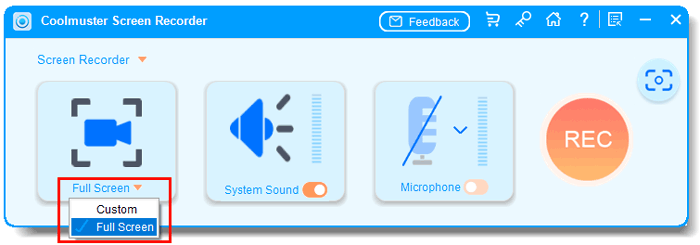
2. How to Use Coolmuster Screen Recorder
Explore the complete operational guide for Coolmuster Screen Recorder. Learn how to record full screen, custom regions, or specific windows; choose your audio source; and save videos as MP4 or screenshots as PNG, JPG/JPEG, or BMP – all with just a few clicks.
3. Screen Recorder Supported Outputs & Devices
Review the complete list of supported video resolutions, output formats, audio sources (system sound, microphone), and compatible Windows versions (Windows 11/10/8/7).
1. How to Record Screen on Windows with Audio
Learn 4 simple ways to screen record on Windows 10 & 11 with system sound or microphone audio. Step-by-step guide for Xbox, Snipping Tool, PowerPoint & more.
2. Best Ways to Screen Record on Windows 10 & 11
New to screen recording? This beginner-friendly guide shows you exactly how to record your Windows screen – no technical skills required. Start now.
3. How to Screen Record on Mac Computer
Learn to screen record on Mac. Built-in tools capture microphone; learn how to also record system audio. Complete guide for tutorials, meetings & gameplay.
4. How to Record Live TV on PC, Smart TV, iPhone & Android
Record live TV on any device: PC, smart TV, iPhone, or Android. USB drives, cloud DVR, and screen recorder methods. Watch your favorite shows anytime.
5. Top 10 MP4 Screen Recorders for Windows & Mac
Free and paid MP4 screen recorders compared. See which tool fits your budget and needs. Detailed reviews of 10 top screen recorders for MP4 output.
6. How to Fix PowerPoint Screen Recording Not Working
PowerPoint screen recording not working? Grayed out, no audio, or won't save? Try these 14 proven fixes. Restore PowerPoint recording in minutes.
Got a question about Coolmuster Screen Recorder? We've compiled answers to the most common queries about compatibility, recording modes, audio selection, privacy, and troubleshooting. Find instant answers here: Coolmuster Screen Recorder FAQs
If you haven't found your solution yet, don't worry — our support team is ready to help.
Quick Search: Use the search bar (the magnifying glass icon at the top of this page) to look for terms like "record system audio" or "screenshot not saving".
Send Us Feedback: Have a question or suggestion? Use the "Feedback" button on the side of our website to get in touch directly.
Email Support: For issues that need extra attention, email us at support@coolmuster.com. Please include your Windows version (e.g., Windows 11), a description of the problem, and a screenshot if possible – this helps us assist you faster.
Capture, create, and share with confidence using Coolmuster Screen Recorder – your private, lightweight, and watermark-free screen recording solution.









 Download for PC

