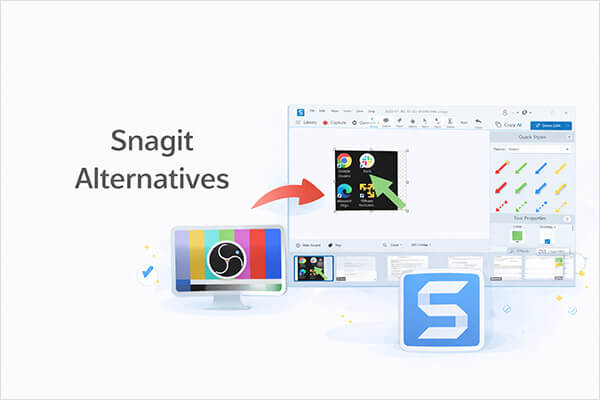
Snagit is a powerful screenshot and screen recording tool widely used for tutorial creation, work presentations, and technical documentation. However, Snagit is not free software, and its subscription fees can be unfriendly to some users. Additionally, some users only need basic screen recording or screenshot functions and don't want to pay for advanced features they won't use.
If you're looking for a similar tool that is more affordable or even completely free, this article will introduce 11 excellent Snagit alternatives, covering both Windows and Mac platforms, suitable for various use cases such as tutorial recording, work presentations, online meetings, or everyday screenshots.
Coolmuster Screen Recorder is a simple and practical TechSmith Snagit alternative that supports recording full screen or custom regions in HD quality. Users can choose to record either system audio or microphone sound based on different needs, making it suitable for tutorials, online meetings, gameplay, and video demonstrations.
Besides screen recording, it also includes screenshot features that allow users to quickly capture important moments on their screen. With its clean interface and easy operation, it is a good choice for beginners and everyday users.
Key features of Coolmuster Screen Recorder:
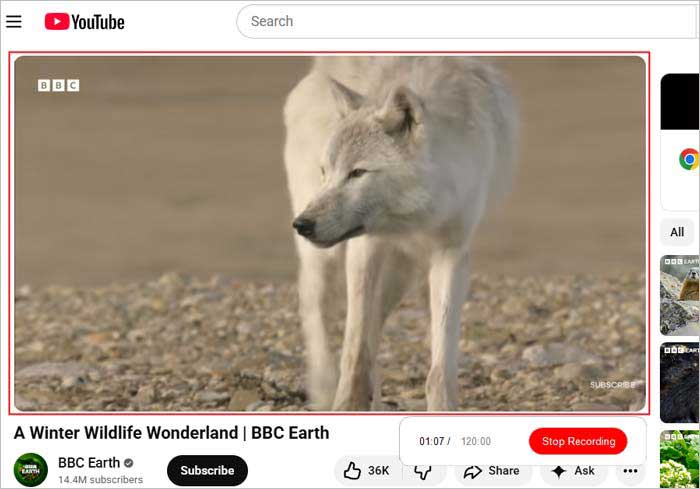
Here is how to record a screen on Windows with audio using Coolmuster Screen Recorder:
01Open Coolmuster Screen Recorder and choose your recording area: "Full Screen" or "Custom".
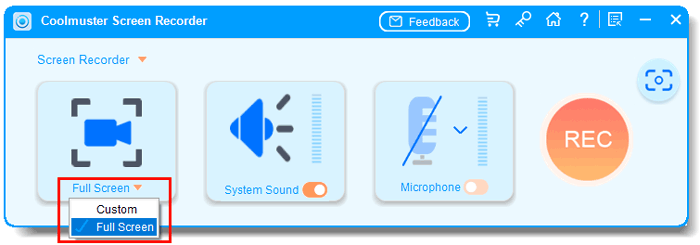
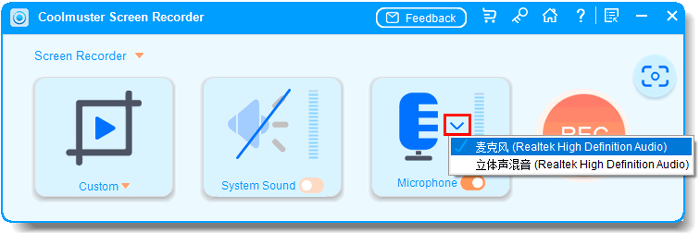
02Select your audio source by enabling "System Sound" or "Microphone". You can also disable both for silent recording.
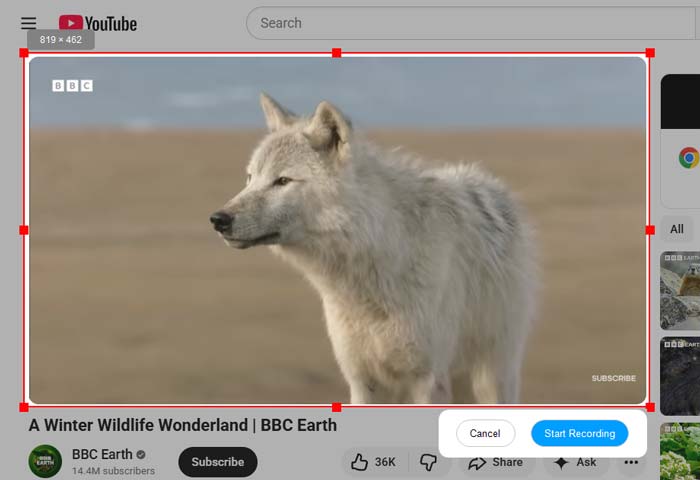
03Click the orange "REC" button, then choose "Start Recording". A short countdown will appear before recording begins.
04Click "Stop Recording" when finished. Your video will be saved locally as an MP4 file, and you can use the "Copy" option for quick sharing.
Video Tutorial:
Pros:
* Beginner-friendly interface.
* No complicated setup required.
* Support HD screen recording.
* Include screenshot features.
* Support full-screen and custom-region recording.
* Export recordings in widely supported MP4 format.
Cons:
* Cannot record system audio and microphone simultaneously.
* No advanced video editing tools.
* Recording modes are relatively limited compared to professional software.
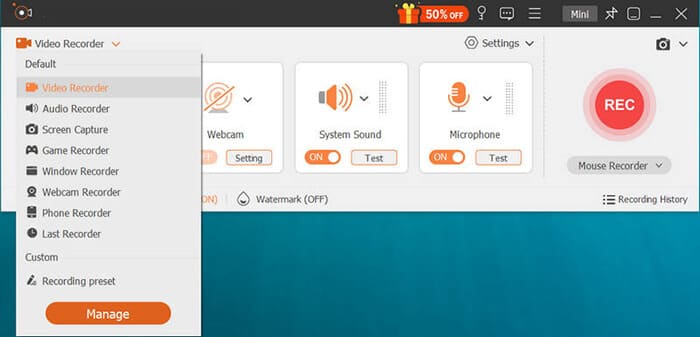
Aiseesoft Screen Recorder is a feature-rich screen recording software that many users consider a powerful alternative to Snagit. It not only supports high-definition screen recording but also includes audio recording and screenshot functionalities, making it suitable for office work, teaching, and content creation. The software allows you to record the entire screen, a specific window, or a custom area, while also offering the option to record system sound, microphone input, or both simultaneously. Compared to Snagit, Screen Recorder stands out particularly in terms of recording stability and video quality.
Pros:
* Intuitive interface suitable for all skill levels.
* Support multiple recording modes and scrolling capture.
* High-quality video and audio recording.
* Basic built-in editing tools.
* Compatible with both Windows and macOS.
* Offer a free trial with access to core features.
Cons:
* Free trial is heavily limited (watermarks and time restrictions).
* Advanced features require a paid license.
* Editing tools are basic compared to dedicated video editors.
* May perform slower on lower-end systems.
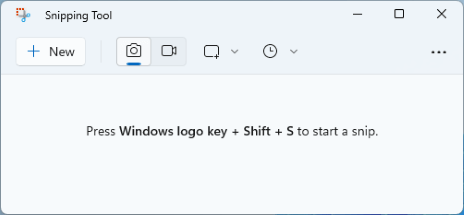
For Windows users seeking a free and built-in Techsmith Snagit alternative, the Windows Snipping Tool is an excellent choice. Pre-installed on all modern Windows systems (Windows 10 and 11), this tool focuses on simplicity and convenience for basic screenshot needs. It offers four capture modes: rectangular snip, free-form snip, window snip, and full-screen snip, along with a delay feature to capture timed screenshots.
Windows 11 has added basic screen recording functionality, allowing users to record short video clips of their screen, closing the gap with Snagit's core features. It also includes simple annotation tools (pen, highlighter, eraser) to mark up screenshots without needing additional software.
Pros:
* 100% free and pre-installed on Windows.
* Simple, easy-to-navigate interface.
* Basic annotation tools.
* Support multiple screenshot modes.
* Added screen recording feature in Windows 11.
* Lightweight and resource-friendly.
Cons:
* Only available for Windows (no macOS/Linux support).
* Limited features compared to Snagit (no scrolling capture or advanced editing).
* Video recordings are short and lack editing options.
* No cloud sharing or advanced annotation tools.
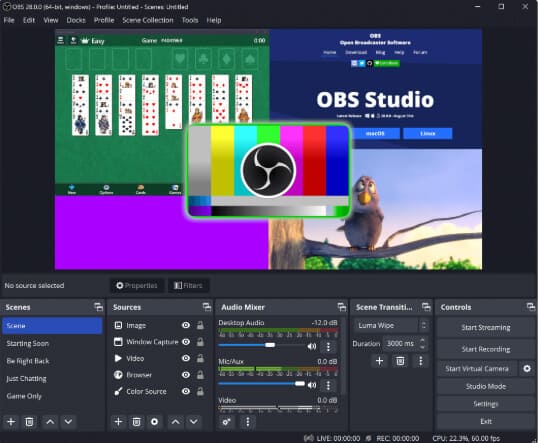
OBS Studio is an open-source, free screen recording and live streaming software that is extremely popular among game streamers and professional video creators. It supports multi-scene switching, real-time audio mixing, and high-quality output, offering far more advanced features than Snagit. However, it's worth noting that OBS Studio has a steep learning curve and is not very beginner-friendly. If you only need quick screenshots or simple screen recordings, OBS may feel a bit "too professional".
Pros:
* 100% free and open-source.
* Advanced recording and streaming capabilities.
* Cross-platform (Windows, macOS, Linux).
* Extensive customization (scenes, filters, plugins).
* Active community support and regular updates.
* Ideal for live streaming and professional recordings.
Cons:
* Overkill for basic screen capture needs.
* Steep learning curve for beginners.
* Overwhelming interface with numerous settings.
* Resource-intensive (may lag on lower-end hardware).
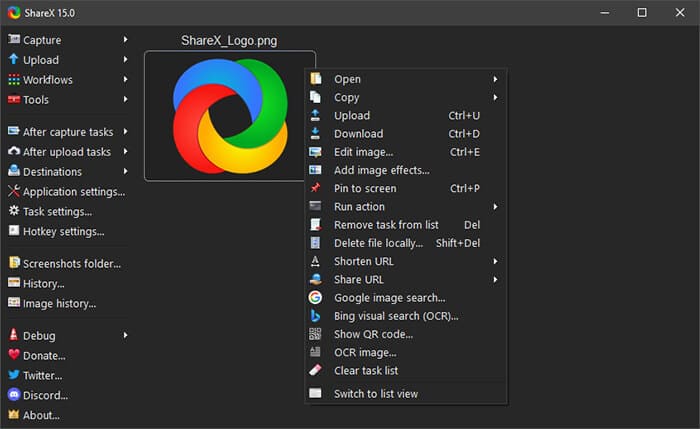
ShareX is a feature-rich screenshot tool that goes far beyond basic capture. It supports scrolling screenshots, automated workflows, and instant cloud uploads, making it a popular TechSmith Snagit alternative among developers and power users. Although ShareX does include basic screen recording, its interface and setup process may feel overwhelming to less technical users.
Pros:
* 100% free and open-source.
* Extensive capture and annotation tools.
* Automation features for seamless workflow.
* Support GIF creation and cloud sharing.
* Customizable hotkeys.
* Regular updates and community contributions.
Cons:
* Only available for Windows (no macOS/Linux support).
* Steep learning curve for beginners.
* Screen recording features are limited.
* Occasional bugs and stability issues.
* Some features require third-party dependencies.
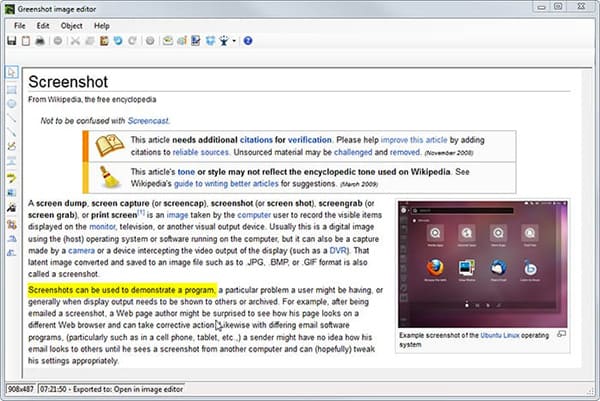
Greenshot is a lightweight screenshot tool focused on speed and simplicity. It allows users to quickly capture regions, windows, or full screens and export images to editors, email clients, or the clipboard. As a TechSmith Snagit alternative, Greenshot works well for screenshots but does not support video recording. It offers simple yet effective annotation tools, such as text, arrows, highlights, and blur effects, allowing users to edit screenshots quickly.
Pros:
* 100% free and open-source.
* Lightweight and fast.
* Support scrolling capture and basic annotations.
* Customizable hotkeys and export options.
* Plugin support for extended functionality.
* Low resource consumption.
Cons:
* Limited to static screenshots (no video recording).
* No advanced editing tools.
* Only support Windows.
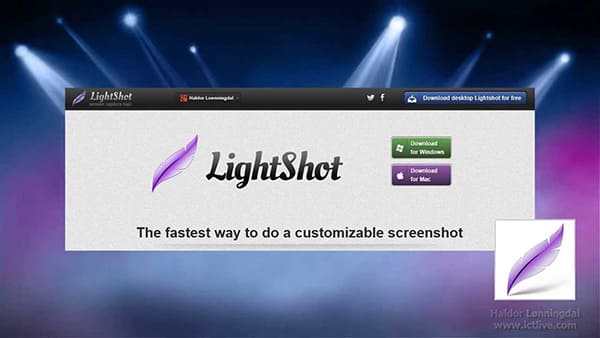
Lightshot is a simple, free Techsmith Snagit alternative designed for quick screenshot capture and sharing. Available for Windows, macOS, and as a browser extension, it focuses on ease of use—allowing users to capture any screen region with just two clicks. After capturing, it offers basic online editing tools (crop, text, annotations, highlights) and instant sharing options: upload screenshots to the LightShot server and get a short link for quick distribution.
Unlike Snagit, Lightshot is entirely free (no paid plans) and lightweight, making it perfect for everyday users who need fast, no-frills screenshots.
Pros:
* 100% free to use.
* Cross-platform (Windows, macOS, browser extension).
* Ultra-simple two-click capture.
* Basic online editing tools.
* Instant cloud sharing with short links.
* Lightweight and fast.
Cons:
* Limited features (no video recording or scrolling capture).
* Editing tools are basic.
* Screenshots are stored on LightShot's servers (privacy concerns for sensitive content).
* No offline editing options.
* Occasional lag when uploading.
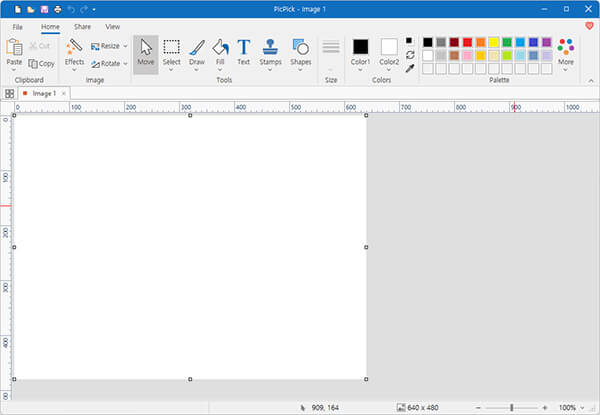
PicPick is a feature-rich, Windows-only Techsmith Snagit alternative that combines screen capture, image editing, and graphic design tools in one package. It supports all common capture modes (full-screen, region, window, scrolling) and offers advanced annotation tools, including text, shapes, arrows, blur, and effects—rivaling Snagit's editing capabilities.
What makes PicPick unique is its additional graphic tools: color picker, color palette, pixel ruler, protractor, magnifier, and whiteboard, making it ideal for designers, developers, and educators. It also supports multiple export formats and cloud sharing. However, PicPick's screen recording functionality is minimal compared to Snagit or dedicated recording software.
Pros:
* Free for personal use.
* Extensive capture and annotation tools.
* Built-in graphic design tools (color picker, ruler, etc.).
* Customizable hotkeys and settings.
* Support multiple export formats and cloud sharing.
* User-friendly interface.
Cons:
* Only available for Windows.
* Screen recording features are basic.
* Paid license required for commercial use.
* Resource-intensive (may slow down lower-spec systems).
* Advanced features have a slight learning curve.
* Occasional bugs in screen capture functionality.
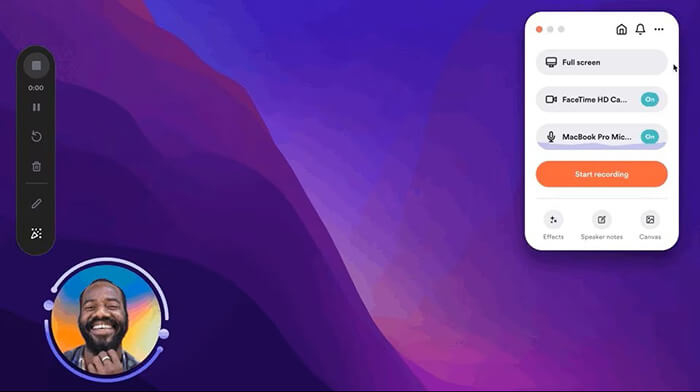
Loom is a cloud-based tool focused on quick, shareable video messaging and screen recording. Available as a desktop app (Windows/macOS), browser extension, and mobile app, it excels in team collaboration—allowing users to record screen, webcam, and audio simultaneously, then generate a shareable link instantly.
Unlike Snagit, which is primarily desktop-based, Loom stores all recordings in the cloud, making it easy to access and share across devices. It offers basic editing tools (trim, cut) and viewer insights (see who watched your video), making it perfect for remote teams, tutorials, and customer support. If you care more about video communication than screenshot editing, Loom is a good Snagit alternative.
Pros:
* Cloud-based (access anywhere).
* Instant shareable links.
* Support screen, webcam, and audio recording.
* Viewer insights for team collaboration.
* Cross-platform (desktop, browser, mobile).
* Free plan available.
Cons:
* Free plan has limits (video length, watermarks, storage).
* No advanced editing tools.
* Require stable internet connection for sharing.
* No static screenshot capture (focused on video).
* Paid plans can be costly for individuals.
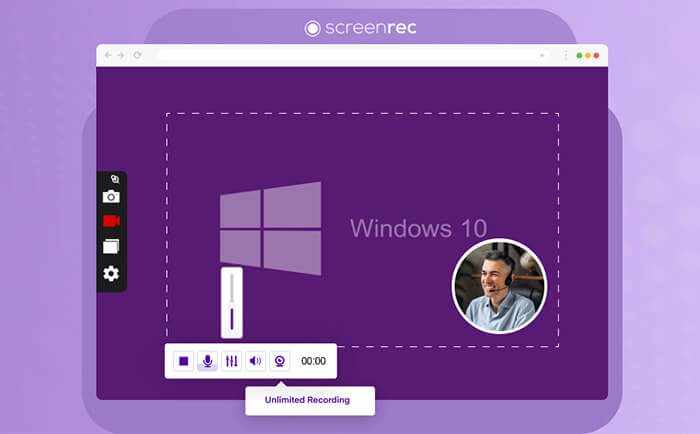
ScreenRec is a lightweight screen recorder focused on speed and simplicity. It offers watermark-free recording and instant shareable links, making it a convenient TechSmith Snagit alternative for quick demonstrations. That said, it lacks the deep editing and annotation tools found in Snagit.
Pros:
* Free plan with no watermarks or time limits.
* Cross-platform (Windows, macOS, Linux).
* Lightweight and fast.
* Instant cloud sharing with private links.
* High-quality 60fps recording.
* Basic annotation tools.
Cons:
* Free plan has limited cloud storage (2GB) and resolution.
* No built-in editing tools.
* Paid subscription required for advanced features.
* Occasional installation issues.
* No scrolling capture.
* Not suitable for complex tutorials.
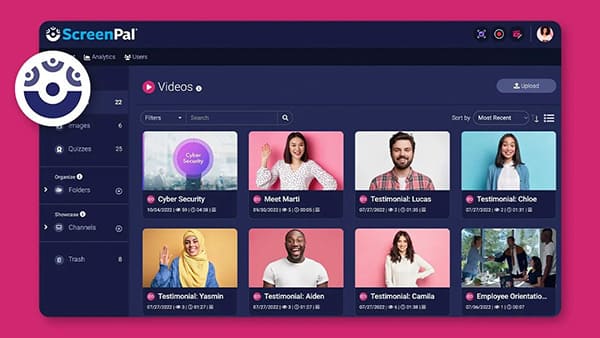
ScreenPal (formerly Screencast-O-Matic) is a long-standing screen recording tool commonly used for educational content. It supports screen, webcam, and audio recording with basic editing features. Compared to TechSmith Snagit, ScreenPal is stronger in video recording but weaker in screenshot editing.
Pros:
* Cross-platform (desktop, browser, mobile).
* Comprehensive capture and editing tools.
* AI-powered features (auto captions, summaries).
* Cloud storage and sharing; free plan available.
* User-friendly interface.
* Formerly known as Screencast-O-Matic with a trusted reputation.
Cons:
* Screenshot features are limited.
* Free plan has watermarks and limits.
* Advanced AI features require a paid subscription.
* Resource-intensive on lower-end systems.
* Some editing tools are less intuitive than Snagit.
* Occasional lag during recording.
Considering overall features, ease of use, and cost performance, if you're looking for a Snagit alternative that can both capture screenshots and record high-quality screen videos, Coolmuster Screen Recorder is a highly recommended choice. It offers a balanced performance in terms of user experience, recording stability, and output quality, making it suitable for beginners while still meeting the needs of more advanced users.
Of course, if you only need simple screenshot tools or a completely free solution, you can also choose the Snagit alternative that best fits your specific use case based on this article.
Related Articles:
A Comprehensive AZ Screen Recorder Review and 4 Best Alternatives
Ultimate Guide to Screen Recorders for Windows: 8 Best Tools Inside!
Best Screen Recorder for Mac: Top 10 Screen Recording Software for macOS
10 Best Game Recording Software to Record Gameplay Without Hassle






 Free Download for PC
  Free Download for Mac


