Our smartphones and computers hold our most precious memories, important contacts, and essential files. Whether you're upgrading to a new phone, backing up critical data, or sharing files between iOS, Android, and Windows devices, a reliable and user-friendly transfer tool is essential. Apeaksoft MobieTrans promises to make cross-device data management simple and efficient. In this in-depth Apeaksoft MobieTrans review, we'll explore its key features, safety, pricing, step-by-step usage, and the best alternative, helping you decide if it's the right choice for your needs.
Apeaksoft MobieTrans is a versatile software solution for users who need to transfer data from their mobile devices to other phones or computers, including Android, iOS, and Windows systems. Beyond simple transfers, it allows users to manage their mobile files efficiently and back them up to other devices. Its straightforward interface makes it easy to enjoy a smooth and reliable experience while handling all types of mobile data.
Before diving into the specifics, it's important to understand what makes Apeaksoft MobieTrans stand out among data transfer tools. Its features, safety, pricing, and extra utilities are designed to make mobile data management seamless across iOS, Android, and Windows devices. Let's break it down step by step.
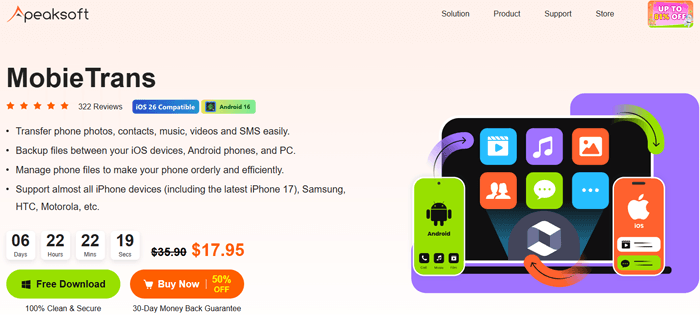
Apeaksoft MobieTrans offers a range of practical features that cater to most users' transfer and management needs:
Easily move files between iOS and Android, iOS to iOS, or Android to Android devices.
Transfer photos, contacts, music, videos, messages, and notes, all in one tool, eliminating the need for multiple apps.
Organize your files directly from your computer. Delete unwanted items, rename photos or albums, merge duplicate contacts, and preview files before transfer.
Back up files between iOS devices, Android phones, and your computer.
Works with almost all iPhones (including the latest iPhone 17) and popular Android devices from Samsung, HTC, Motorola, and more, supporting the latest iOS and Android versions.
Convert iPhone HEIC photos to JPG or PNG in bulk for compatibility with non-Apple devices.
Extract audio or video clips to create custom ringtones and transfer them to your device in one click.
Safety is a top priority for any software handling personal data. Apeaksoft MobieTrans is safe and reliable:
To ensure maximum security, always download from the official Apeaksoft website.
With these protections, you can confidently transfer your contacts, messages, photos, and other sensitive data without worrying about privacy breaches.
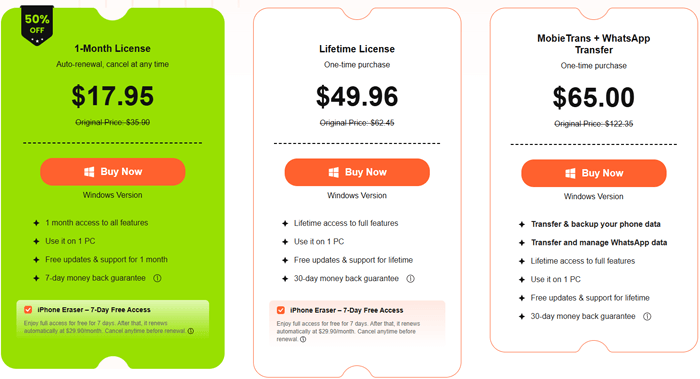
Apeaksoft MobieTrans offers flexible pricing plans to suit different user needs, with clear refund policies to give you peace of mind. Here are the current pricing options (as of 2026):
To help you make an informed decision, here's a quick overview of its advantages and drawbacks:
Pros:
Cons:
Using Apeaksoft MobieTrans is straightforward, whether you want to transfer data between Android and iOS devices or manage files across phones and computers. Here, we'll focus on transferring data between an Android device and an iPhone.
Step 1. Install and Launch the Software
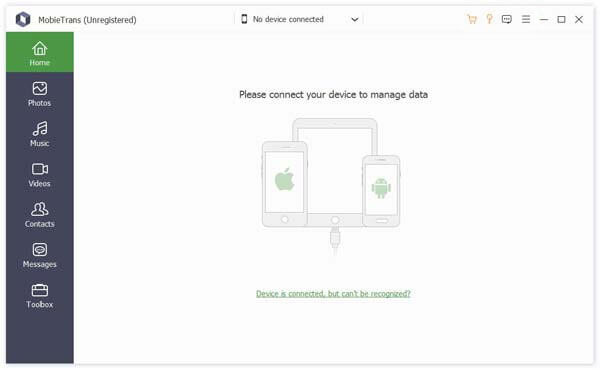
Download and install Apeaksoft MobieTrans on your computer. Once installed, open the program and connect both devices (Android and iOS) using compatible USB cables. Make sure your devices are recognized by the computer.
Step 2. Select the Source Device
From the drop-down menu, choose your source device:
The software will scan your device and display all available data.
Step 3. Preview and Select Files
Once scanning is complete, browse through your data by type (photos, contacts, messages, videos, etc.). Preview the items and select the files you want to transfer, ensuring that only the necessary data is moved.
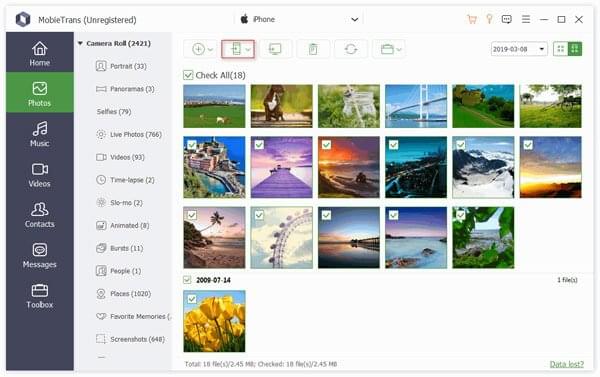
Step 4. Start the Transfer
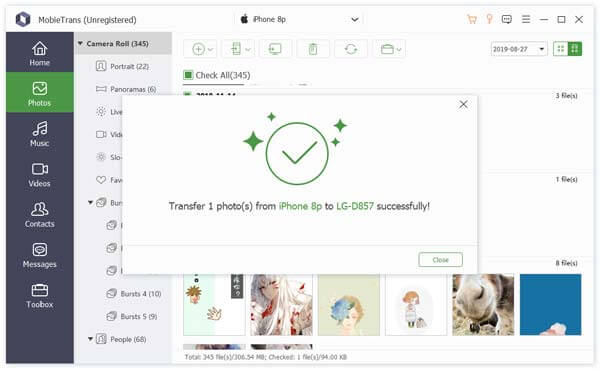
After choosing your files, click the "Phone" menu at the top, select your target device, and confirm the transfer. MobieTrans will begin moving your selected data, and you just need to wait for the process to finish. Once completed, a success message will appear, letting you know that your files have been successfully transferred.
Apeaksoft MobieTrans does the job well, but if you want an alternative that's just as powerful, or even more user-friendly, Coolmuster Mobile Transfer is worth considering. Known for its speed, reliability, and straightforward interface, it has become a popular pick for anyone moving data between devices.
What can Coolmuster Mobile Transfer do for you?
How to use the Apeaksoft MobieTrans alternative to transfer data between phones?
01Download the version compatible with your computer (Windows or macOS), install it, and open the program.
02Attach both your old and new phones to the computer using USB cables. For Android devices, enable USB debugging if prompted. For iOS devices, tap "Trust" on the device screen to authorize the connection.
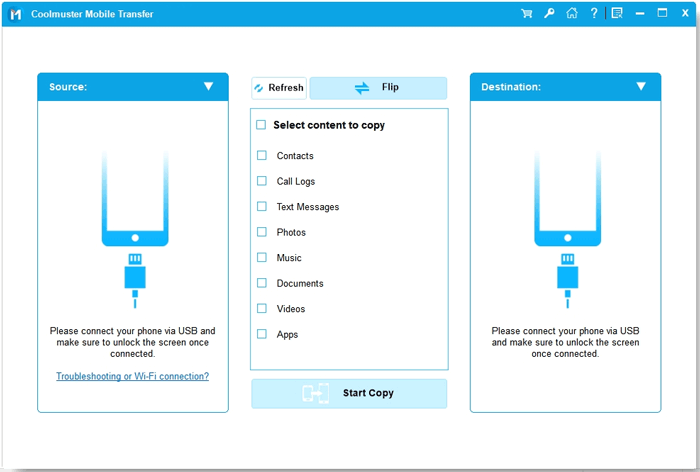
03Once both devices are detected, confirm which phone is the source and which is the target. Then, browse the available data categories and choose the files you want to transfer, such as contacts, photos, videos, or music.
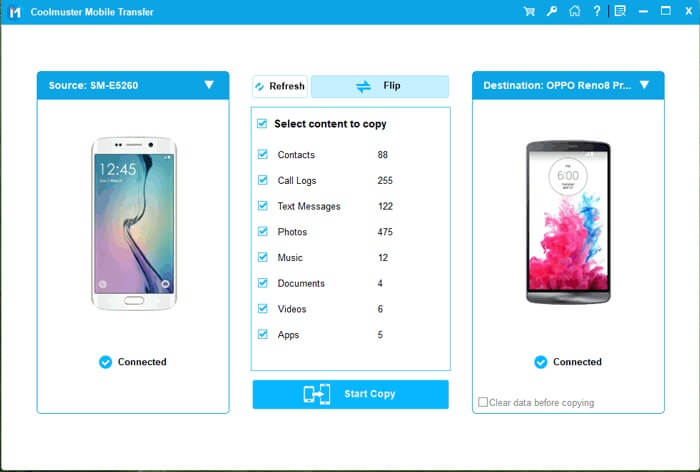
04Click the "Start Copy" button to begin transferring the selected files. The process runs automatically, and once it's complete, safely disconnect your devices. Your selected data is now available on the new phone.
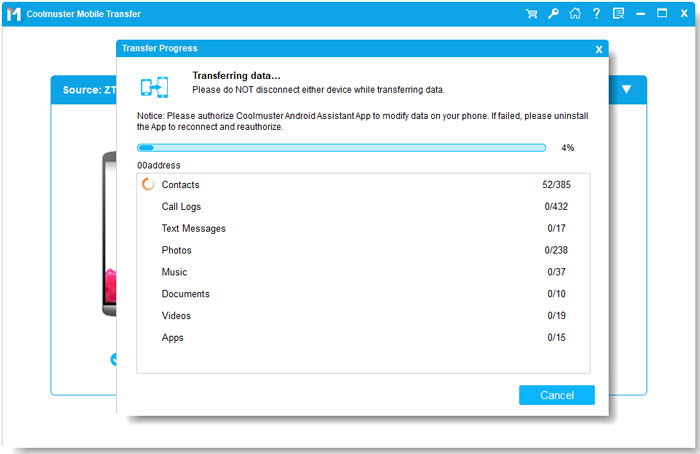
For a visual demonstration and easier follow-along, you can also check out our step-by-step video tutorial below.
Overall, Apeaksoft MobieTrans is a reliable and versatile tool for transferring and managing data across iOS, Android, and Windows devices. Its wide compatibility and extra features, like HEIC conversion and ringtone creation, make it ideal for users who want more control over their files.
If you prefer a faster and simpler approach, Coolmuster Mobile Transfer is a great alternative. Its one-click transfers, easy-to-follow interface, and broad device support make moving data between phones quick and stress-free.
Whichever tool you choose, both can help you easily manage and transfer your mobile data, saving time and effort in the process.
Related Articles:
Apeaksoft iPhone Data Recovery Review: Features, Pros & Cons
Apeaksoft iOS System Recovery Review: Features, Guide & Best Alternative
Apeaksoft iPhone Transfer Review 2026: Full Features, Pricing, Pros & Cons
Apeaksoft Phone Mirror Review: Features, Price, Pros & Cons, and Best Alternative






 Free Download for PC
  Free Download for Mac


