TL;DR:
Old cell phones can still be valuable. Whether you plan to sell, donate, recycle, or reuse your device, it's important to prepare it properly first. This guide explains the best ways to handle old phones and how to permanently erase personal data before passing them on to someone else.
"I have a graveyard of broken cell phones and old laptops in my closet. I have no use for them and would like to create more space, but I'd like to get something for them, instead of just throwing them away. Even donating them would be better than that. What have you done with your cell phones and electronics?"
- From Reddit
As smartphone technology continues to evolve, many people upgrade their devices every few years. As a result, old cell phones often end up sitting in drawers, collecting dust, or being thrown away. However, simply discarding an old phone is not the best option. These devices may still have value, whether through reuse, resale, donation, or recycling.
More importantly, old phones usually contain personal information such as photos, messages, account credentials, and financial data. Before getting rid of your device, it is essential to handle it properly to protect your privacy. In this guide, we'll explore what to do with old cell phones and how to safely prepare them for their next purpose.
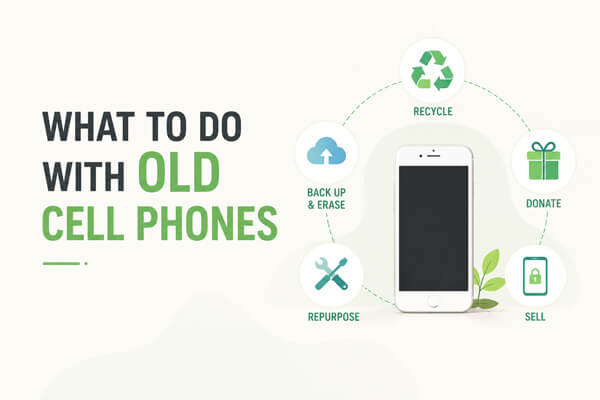
Before deciding how to get rid of your device, you may wonder, should I just throw away my old phone? The answer is generally no. While it may seem like the easiest option, old phones often contain personal data and still have environmental and practical value.
Even if you haven't used your phone for a long time, it may still contain sensitive information such as photos, contacts, messages, and app data. While many users believe that a factory reset removes everything, in some cases, traces of data may still remain if the device is not properly handled.
Smartphones contain materials like lithium, cobalt, and copper that require proper handling. If they are thrown away with regular trash, they can contribute to electronic waste pollution. Recycling or reusing old devices helps reduce environmental impact and recover valuable materials.
Many people underestimate how useful an old smartphone can be. Even if it's no longer your primary device, it can still function as a media player, GPS navigator, security camera, or backup phone. In some cases, used phones can even be sold or traded in for cash, making them worth far more than their weight as electronic waste.
Are older cell phones worth anything? The answer is often yes. Depending on the condition, they can usually be sold, traded in, donated, or repurposed instead of being discarded. Since old phones can still provide value, let's explore what you can do with them.
One of the simplest solutions is to keep your old device as a backup phone. Accidents happen. Phones get lost, damaged, stolen, or run out of battery at inconvenient times. Having a spare device available can be extremely helpful during emergencies. Even without an active SIM card, most smartphones can still connect to Wi-Fi, allowing you to access email, messaging apps, maps, and video calls whenever needed.
If your old phone is still in good condition, selling old phone can help offset the cost of upgrading. Many online marketplaces and trade-in services accept used smartphones. Popular models from Samsung, Google, Motorola, and other brands often retain value for years.
Many manufacturers and mobile carriers offer trade-in programs that provide credits toward a new phone. This option is often more convenient than selling privately because the company handles the inspection and recycling process for you. While the payout may be lower than a private sale, the process is typically much faster and easier.
An old smartphone can become a surprisingly effective security camera.
Several monitoring apps allow one phone to act as a camera while another serves as the viewing device. This setup can help you monitor:
Since the phone already includes a camera, microphone, and Wi-Fi connection, no additional hardware may be required.
Instead of letting your old phone gather dust, convert it into a dedicated media center.
You can use it to:
This helps preserve storage space and battery life on your primary device.
An old smartphone can be a great introduction to technology for younger family members. Parents can install educational apps, language-learning tools, reading programs, and parental control software to create a safer experience. Since the device is already paid for, it can also be less stressful than handing over a brand-new phone.
Many nonprofit organizations and community programs accept used smartphones.
Your old device may help:
Before donating, ensure the phone is functional and that all personal data has been completely removed.
If your phone is damaged beyond repair or too old to be useful, recycling is often the best option. Certified e-waste recyclers can safely dismantle devices and recover valuable materials while preventing hazardous components from entering the environment.
Before selling, donating, recycling, or repurposing your old phone, it is important to take a few essential steps to protect your personal data and ensure a smooth transition.
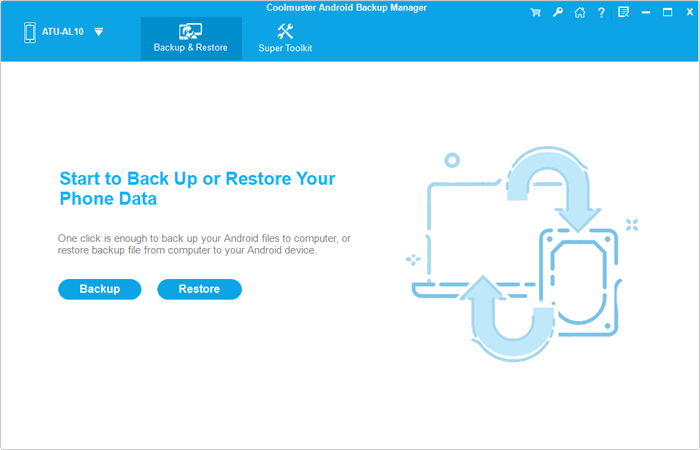
Start by backing up your photos, videos, contacts, and other important files before doing anything else. You can use cloud storage services or transfer your data to a computer to avoid losing anything important.
For Android users, tools like Coolmuster Android Backup Manager can help you easily back up your Android phone to a computer with one click. For iOS users, Coolmuster iOS Assistant offers a simple way to back up iPhone data to PC safely.
Make sure to log out of all accounts linked to your phone, including Google accounts, email accounts, social media apps, and any payment services. This helps prevent access or activation issues on the next device owner's side.
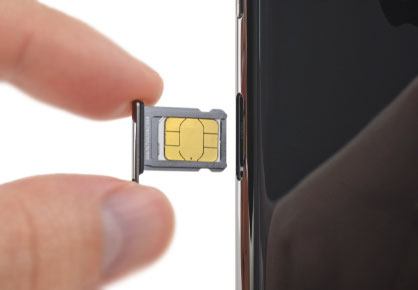
Don't forget to take out your SIM card and memory card. These may contain personal contacts, messages, or stored files that should remain in your possession.
A factory reset is the most common step before giving away a phone. It restores the device to its original settings and removes visible data. However, in some situations, residual data may still exist on the device storage, especially if the phone is handled by data recovery tools.
Because of this limitation, relying on a factory reset alone may not always provide complete peace of mind. If you are selling, donating, or recycling your Android phone, taking an extra step to permanently erase the remaining data can provide stronger privacy protection. One reliable solution is Coolmuster Android Eraser. It is designed to permanently wipe all data from Android devices by overwriting existing information, making recovery virtually impossible.
Key features of Android Eraser:
How to delete data from an Android phone permanently?
01Download and install Android Eraser on your computer. Connect your old Android phone to the computer using a USB cable, then enable USB debugging on your device.
02Once your phone is detected, click the "Erase" icon on the main interface.
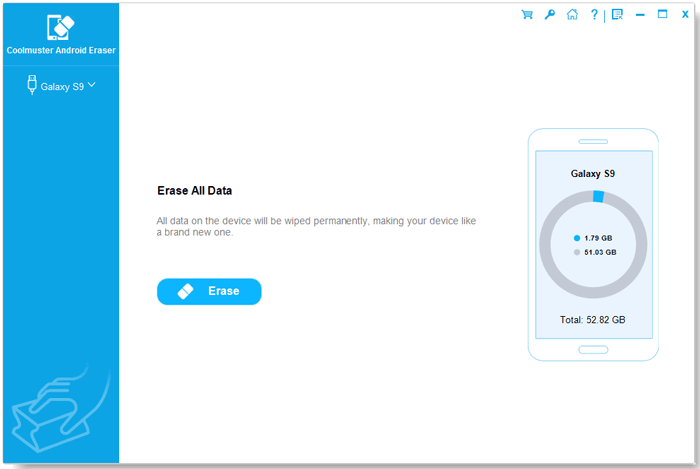
03Choose a security level by clicking the menu next to "Security Level" and select Low, Medium, or High depending on how thoroughly you want your data to be erased.
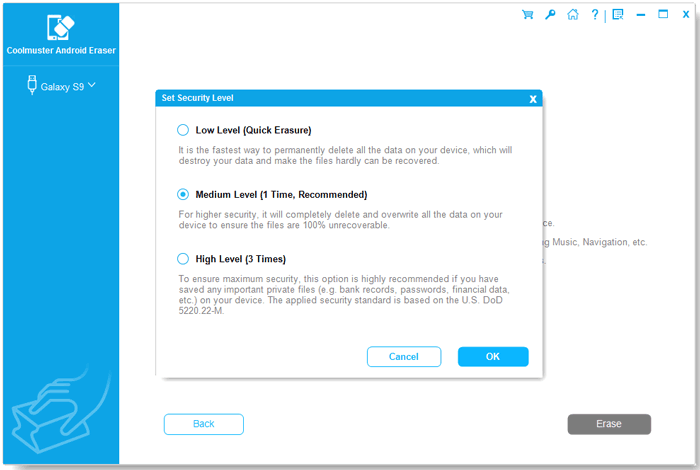
04Confirm your selection and click "Erase" again to start the process. If your phone prompts permission, tap "OK" or "Allow" to authorize it. Wait until the process is completed, and all data on your device will be permanently erased and unrecoverable.
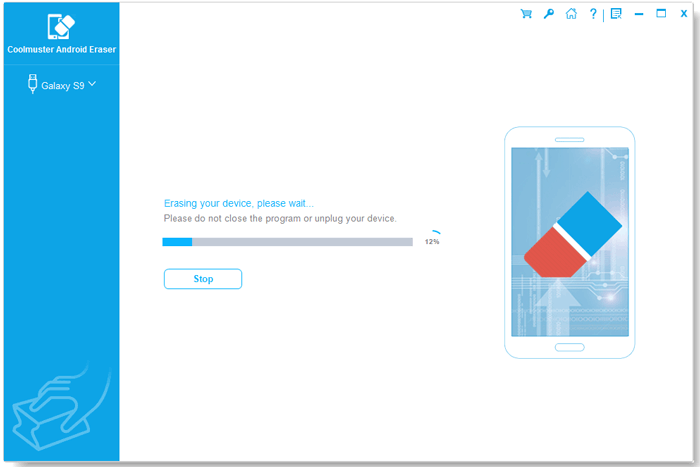
Here's a 2.5-minute detailed video tutorial to walk you through the entire operation process intuitively:
If you are using an iPhone instead of an Android device, Coolmuster iOS Eraser can also help you permanently erase all iPhone personal data before selling, donating, or recycling your device.
1. Is factory reset enough before selling a phone?
Not always. While a factory reset removes visible data from the device, some information may still be recoverable using specialized recovery software. For maximum privacy protection, it is advisable to use a professional data erasure tool before selling your phone.
2. Is it safe to sell my old phone online?
Selling an old phone online is generally safe as long as you properly erase your personal data and remove all accounts before handing it over. Using secure methods to protect your privacy is important before completing any sale.
3. Can data be recovered from an old phone?
In some cases, yes. Even if files have been deleted or the phone has been reset, traces of data may still remain on the device's storage. Specialized data recovery tools can sometimes retrieve photos, messages, contacts, and other information if the data has not been completely overwritten.
Old cell phones don't have to become clutter or end up in landfills. Whether you choose to reuse, sell, donate, or recycle your device, taking the proper steps beforehand is essential. Most importantly, don't overlook the importance of protecting your personal information.
Before parting with your old Android phone, consider using Coolmuster Android Eraser to permanently remove all data and ensure your privacy remains secure. With the right preparation, you can give your old device a new purpose while protecting both your information and the environment.
Related Articles:
Guide: Sell Broken Phones Easily | From Defects to Dollars
What to Do When You Get a New Phone [6 Must-Do Progresses]






 Free Download for PC
  Free Download for Mac


