When your iPhone loses data due to reasons like accidental deletion, system update failures, jailbreak errors, or device damage, iBeesoft iPhone Data Recovery is a common recovery tool. However, many users have reported issues such as slow scanning speeds, low success rates, outdated interfaces, and numerous version limitations. As a result, many people are looking for iBeesoft iPhone Data Recovery alternatives with higher success rates, better stability, and enhanced security.
Below, I will introduce the top 5 iBeesoft iPhone Data Recovery alternatives to help you recover important files like photos, contacts, messages, WhatsApp data, and more. Continue reading to find the iPhone data recovery software that best suits your needs.
Coolmuster iPhone Data Recovery is one of the most reliable and user-friendly iBeesoft iPhone Data Recovery alternatives. It supports recovery from iOS devices, iTunes backups, and iCloud backups, making it ideal for users who need a flexible and high-success-rate solution. With its fast scanning engine and wide compatibility with the latest iPhone models, this tool is perfect for recovering photos, contacts, messages, call logs, WhatsApp, and more. It strikes a good balance between recovery quality, ease of use, and price.
Key Features:
* Easily recover lost or deleted files from iOS devices, iTunes, and iCloud backups.
* Restore key files like contacts, messages, photos, WhatsApp chats, notes, and more.
* Preview both existing and deleted data, and choose the files you want to restore or back up.
* Fast and safe iOS data recovery, ensuring no data corruption while maintaining the original file format and quality.
* Fully compatible with the latest iOS 26 and iPhone 17 series.
Here is how to use Coolmuster iPhone Data Recovery to recover data from an iPhone:
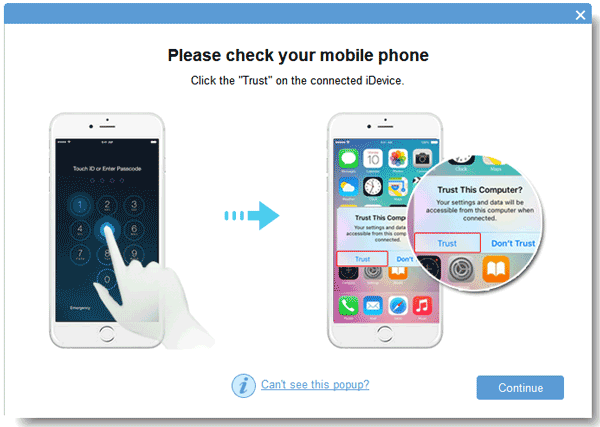
01Launch the software on your desktop and connect your iOS device to the computer using a USB cable. The software will quickly recognize your device. Make sure to tap "Trust" on your mobile device to allow the connection.
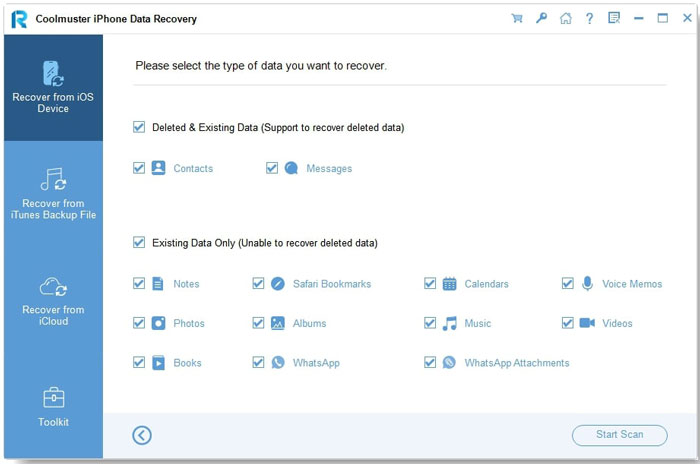
02Once the connection is established, the interface will appear as shown below. Select the data types you want to scan, then click "Start Scan". After the scan is completed, you'll be able to preview both deleted and existing files on the interface.
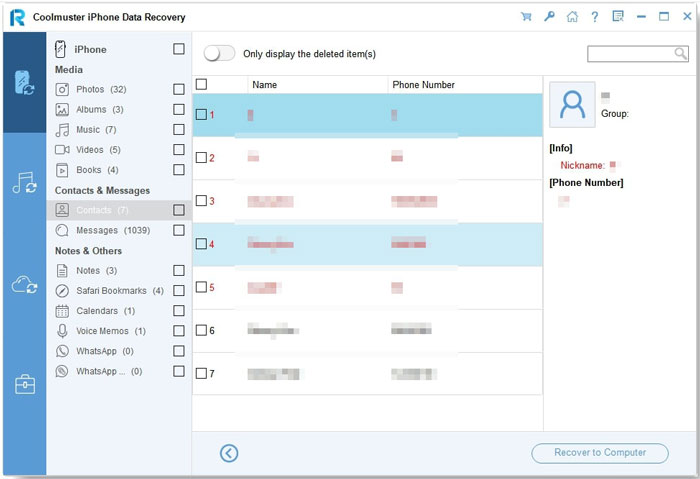
03Choose a category from the left panel and select the specific items on the right. Once you've selected the files you want to recover, click the "Recover to Computer" button. This will restore the deleted data from your iPhone to your computer and transfer any existing files as well.
Video Tutorial:
Pros:
* High recovery success rate and fast scanning speed.
* Support recovery from three sources: device, iTunes, and iCloud backups.
* Allows previewing and selective data recovery.
* Simple interface, easy for beginners to use.
* Fully compatible with the latest iOS versions and iPhone models.
* Better cost-performance compared to similar software.
Cons:
* Limited functionality in the free version.
iMyFone D-Back is another highly-rated data recovery tool, featuring an intelligent recovery wizard that provides different recovery modes based on various scenarios, such as accidental deletion, forgotten passwords, system crashes, and more. It supports the recovery of over 20 different types of data, including text messages, photos, WeChat, WhatsApp, call logs, and more.
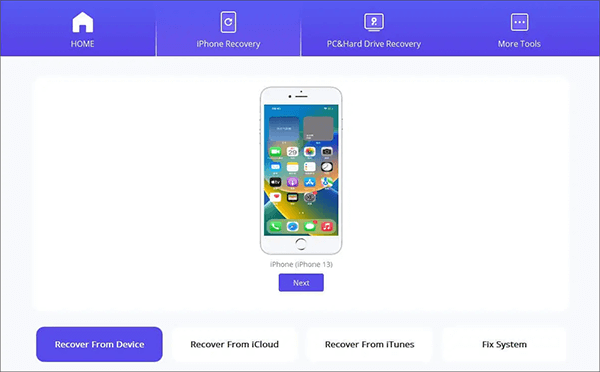
Key Features:
* Recover deleted data without a backup – 99% success rate.
* Fully compatible with iPhone 17 and iOS 26.
* Allow selective backup and preview of specific data types.
* Support recovery of iOS system data and third-party app data.
* Recover messages from Messenger and Instagram.
Pros:
* High success rate in recovering a wide range of file types.
* User-friendly interface, making it easy to find and recover the desired files.
* Excellent support for various file types, contributing to its high success rate.
* Compatible with popular instant messaging apps.
* Preview lost files before recovery, allowing you to select specific files or recover everything.
* Capable of recovering data from damaged or inaccessible devices.
Cons:
* The price is on the higher side, and the free version doesn't support data recovery.
* Recovering a large volume of data can take some time.
* Some users report slow customer support with delayed response times and less efficient problem resolution.
Another iBeesoft iPhone Data Recovery alternative is Aiseesoft FoneLab iPhone Data Recovery. It supports recovering data directly from your device, as well as extracting important information from iTunes and iCloud backups, making it ideal for a variety of data loss situations.
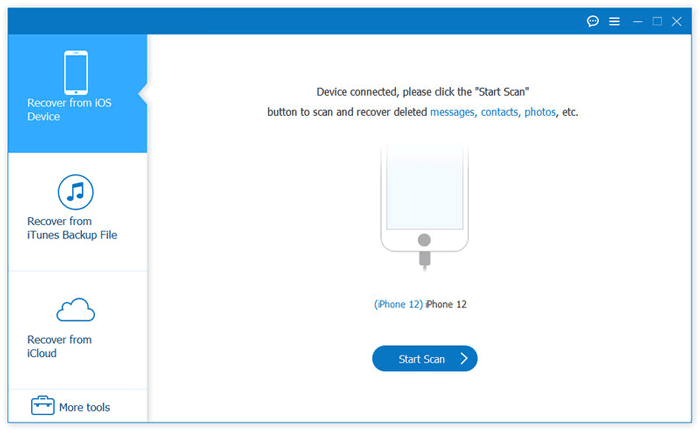
Key Features:
* It offers 3 expert recovery modes: Recover from iOS Devices, iTunes Backup, and iCloud Backup.
* It is applicable to various iPhone data loss scenarios, such as accidental deletion, water damage, broken parts, no backup, lost or stolen iPhone, system problems, forgotten passcodes, and device freezing.
* It supports over 35 types of data, including text messages, iMessages, WhatsApp, Kik, Line, Viber, Messenger messages and attachments, contacts, photos, notes, call history, and more.
* The tool is compatible with various iPhone, iPad, and iPod models, supporting iOS 26 and earlier versions.
Pros:
* Support a wide range of data types, including not just photos and messages, but also content from social media apps.
* Offer three recovery modes to address various data loss situations.
* Simple, intuitive interface, making it ideal for beginners.
* Allow previewing recoverable content for selective data recovery.
* High success rate for recovering lost data.
Cons:
* The free version has limited features and cannot recover all data.
* Scan speed can be slow, particularly on older devices or with large amounts of data.
* Some users report that severely damaged or overwritten data may not be recoverable.
The next iBeesoft iPhone Data Recovery alternative is EaseUS MobiSaver. It is a user-friendly iPhone data recovery software that makes it easy to recover lost or deleted data from iPhones and iPads. With its simple, intuitive interface, it allows users to retrieve a variety of files, such as contacts, messages, photos, and videos, whether they were lost due to accidental deletion, iOS updates, or device malfunctions. The tool also offers selective recovery, letting users preview and choose specific files to restore, providing a more personalized and efficient recovery experience.
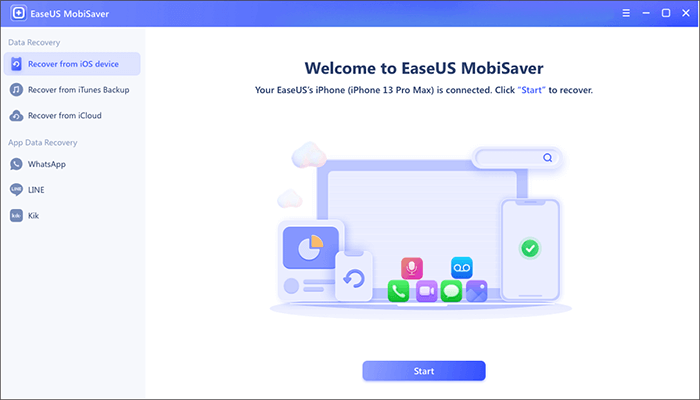
Key Features:
* Compatible with both Windows and Mac operating systems.
* Enable direct data recovery from iOS devices, iTunes, and iCloud backups.
* Recover various data types, including contacts, messages, photos, videos, and more, from iOS devices or iTunes/iCloud backups.
* Support recovering chat history and attachments from messaging apps like WhatsApp, LINE, and Kik.
Pros:
* Very easy to use with a user-friendly interface.
* Recover lost data with just a few clicks.
* Unlimited data recovery available.
* Both free and paid versions are offered.
* Support a wide range of data loss scenarios, including accidental deletion, system crashes, upgrade failures, virus attacks, and more.
Cons:
* The scanning process can be slow.
* The free version allows recovery of only one file and five contacts at a time.
* Occasionally, the program may fail to detect the iPhone, even if the computer recognizes the device.
Tenorshare UltData is one of the most feature-rich iPhone data recovery tools on the market. It supports 35+ data types, including strong recovery for WhatsApp, LINE, Viber, and other messaging apps. This makes it one of the top choices for users who need to restore social media conversations.
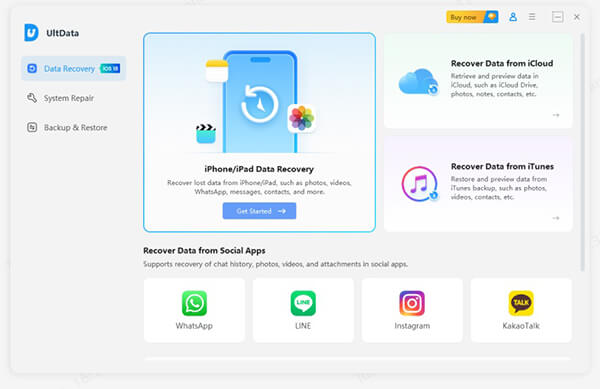
Key Features:
* Offer three recovery modes: recovery from an iOS device, iTunes backup, and iCloud backup.
*Support the recovery of various data types, including photos, videos, messages, contacts, notes, call history, audio, voicemails, voice memos, calendars, reminders, Safari history, and more.
* Recover data from social apps like WhatsApp, Instagram, Kik, LINE, Messenger, Viber, WeChat, KakaoTalk, and others.
* Suitable for a variety of data loss scenarios, such as accidental deletion, water damage, device malfunctions, factory resets, iPhone loss/theft, system errors, forgotten passwords, data transfer issues, or sync failures with iCloud or iTunes.
* Quickly and easily back up and restore iOS data, including social apps like WhatsApp, LINE, WeChat, and Kik.
* It can also fix over 150 iOS/iPadOS system issues, such as getting stuck on the Apple logo, black screen, update failures, network problems, and more.
Pros:
* Support recovery of over 35 types of data.
* Offer data preview and selective recovery options.
* Support recovery from multiple sources, including device, iTunes, and iCloud.
* User-friendly interface, making it easy to use.
* Compatible with most iOS devices, including the latest iPhone 17 and iOS 26.
* High recovery success rate of up to 98%.
* Include a feature for fixing iOS system issues.
Cons:
* The free version only allows scanning; actual recovery requires a paid version.
* The license is relatively expensive, with some users finding it less affordable.
* Scanning can take a long time, with some users reporting slower speeds.
* Does not store log data.
To sum up, if you're looking for reliable iBeesoft iPhone Data Recovery alternatives, the tools listed above offer a variety of features to suit different needs. Choose the tool that best matches your specific data recovery requirements and budget.
Related Articles:
How to Recover Data from Locked iPhone with or without Backup?
iPhone Memory Recovery: How to Recover Data from iPhone Internal Memory?
Comprehensive ApowerRescue Review: Features, Pricing, Pros & Cons
FonePaw iPhone Data Recovery Review: Features, Pros, Cons, Price & Best Alternatives






 Free Download for PC
  Free Download for Mac


